Copy link
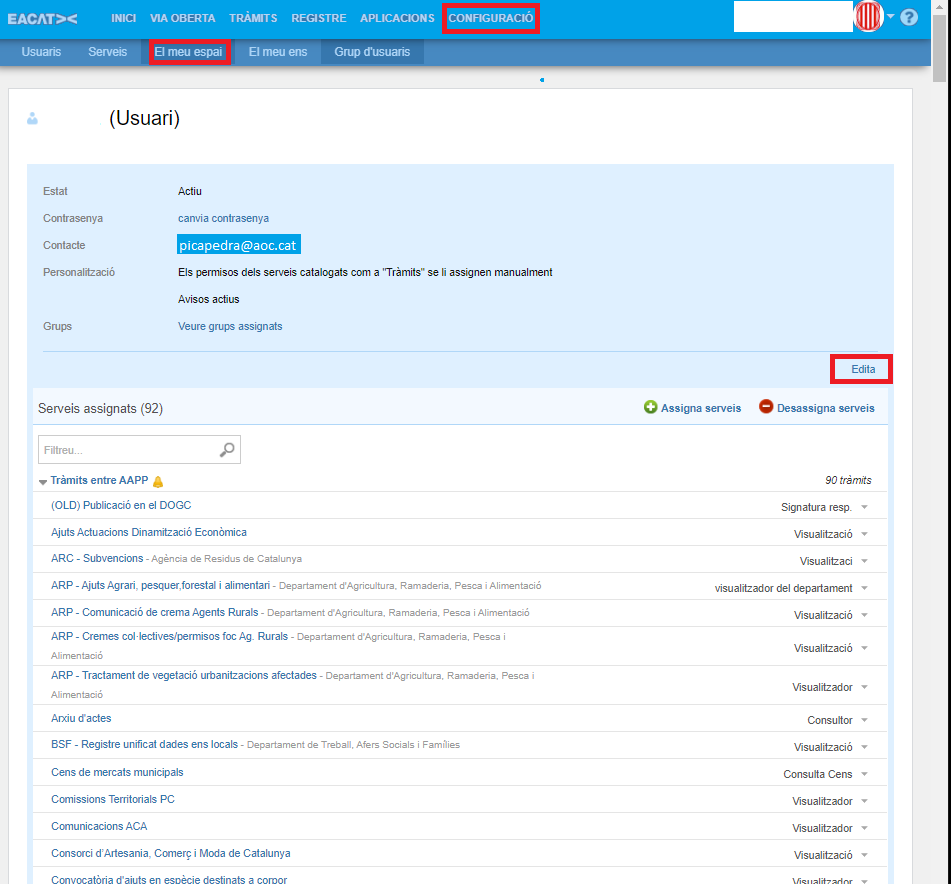
From the Settings section, each user of EACAT can define which one they want to access by default, after identifying themselves on the platform. You must press My space and Edit.
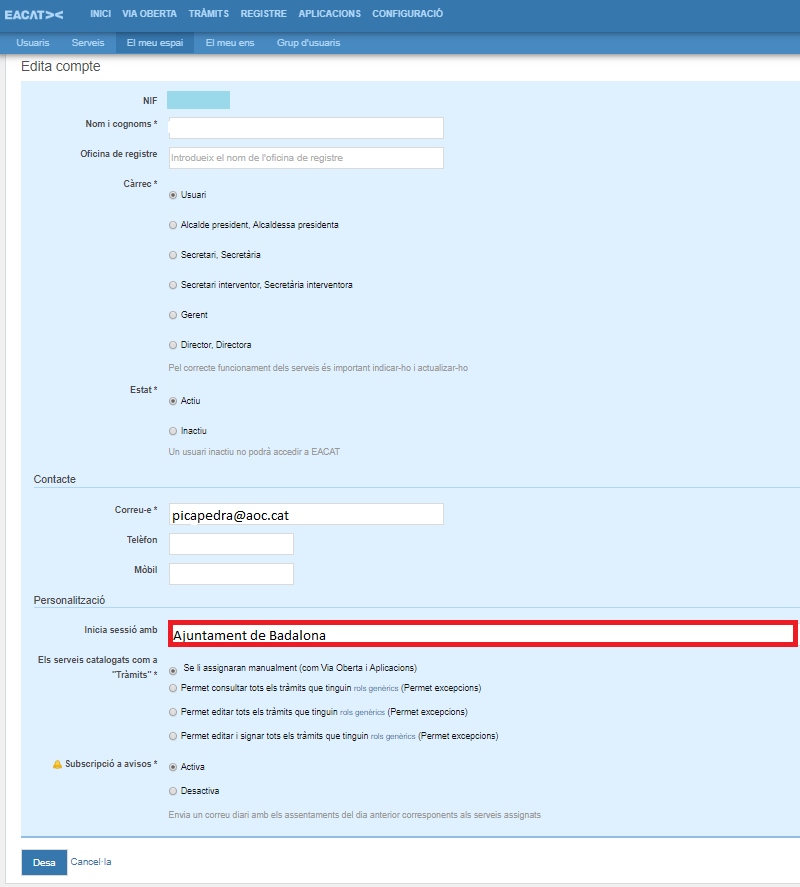
If the user is only registered with one entity in EACAT, this option will not appear when editing their user data, but if on the contrary they are registered with more than one entity it will appear in the Personalization area, in Log in with you must write the entity that you want to appear by default every time you enter EACAT.