



 Copy link
In the In Process area of My Procedures, procedures that have not been completed temporarily due to technical issues appear, but are in the process of being processed, and therefore, completed. Please note that the In Process tray only appears if there are procedures in this status.
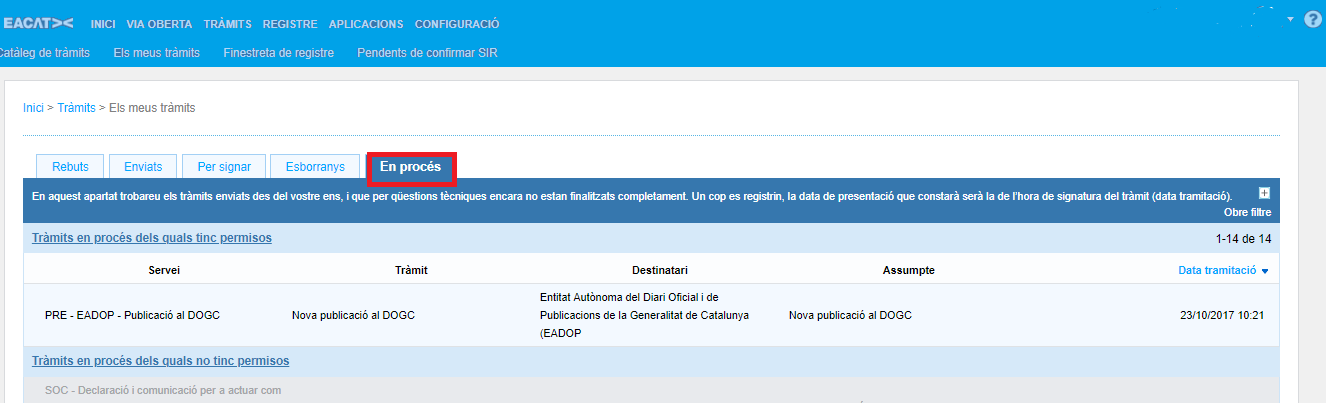
It should be noted that although all the procedures that are in the process of being processed appear, within the entity in question, the subject of those procedures for which the processing user has the necessary roles will only be visible. Otherwise, the subject will appear anonymized with the message “WITHOUT SERVICE PERMISSION”, as follows:
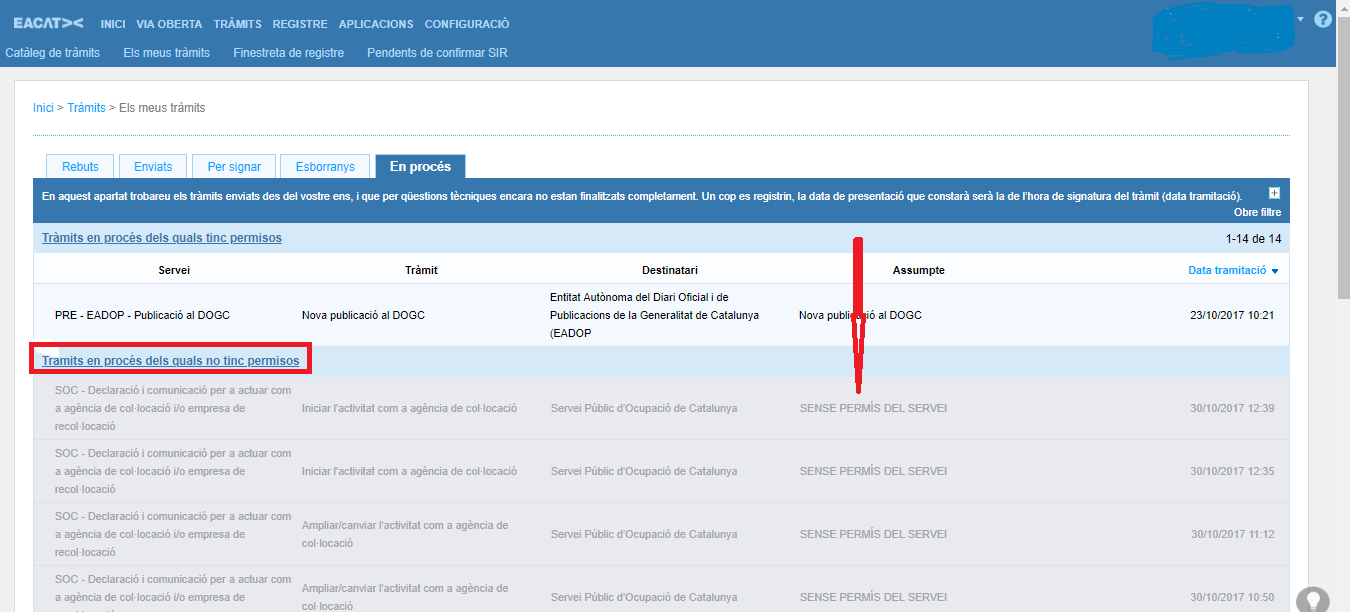
The procedures in process do not have to be processed again because even if they take a little longer, they will end up being completed and, therefore, processed.
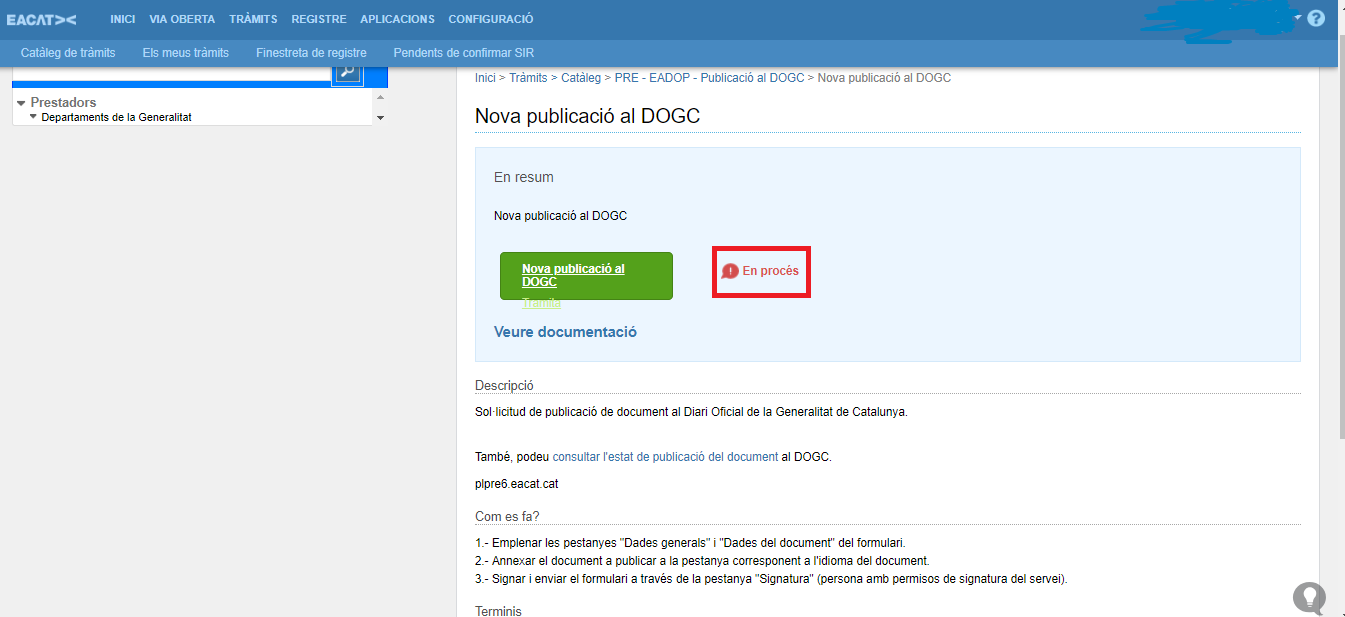
Precisely, to prevent them from being processed again, a warning has been enabled in the Procedures Catalog, so that when the user is about to start a procedure, they will realize that they have an identical one that is in the processing process. So that the user can see it and understand what it is about, the warning is in red and returns two messages depending on where the cursor is:
- If placed over the exclamation mark (“!)” it returns: There are procedures of this type sent from your entity pending completion.
- If it is placed above In process it returns: There are procedures pending to be completed.
You can also find this new space reflected in the Home page notification, to which the In process section has been added and which only appears if there are procedures in this status.
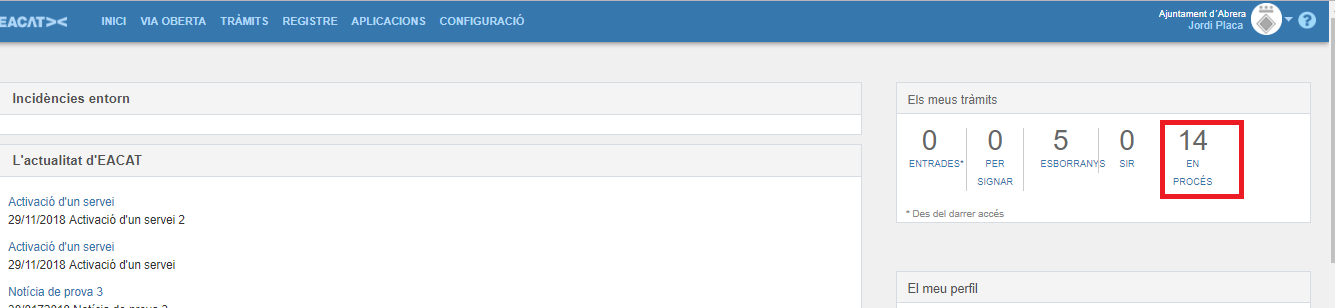
From here you can access the list of procedures in the process of processing the first and second images.