Copy link
Most of the procedures that make up a service are technically defined as PDF forms . These forms sometimes have attached files that must be downloaded.
To view these files attached to the PDF form, do the following :
- Find the processing flow , corresponding to the procedure, in the single processing tray called My Processing.
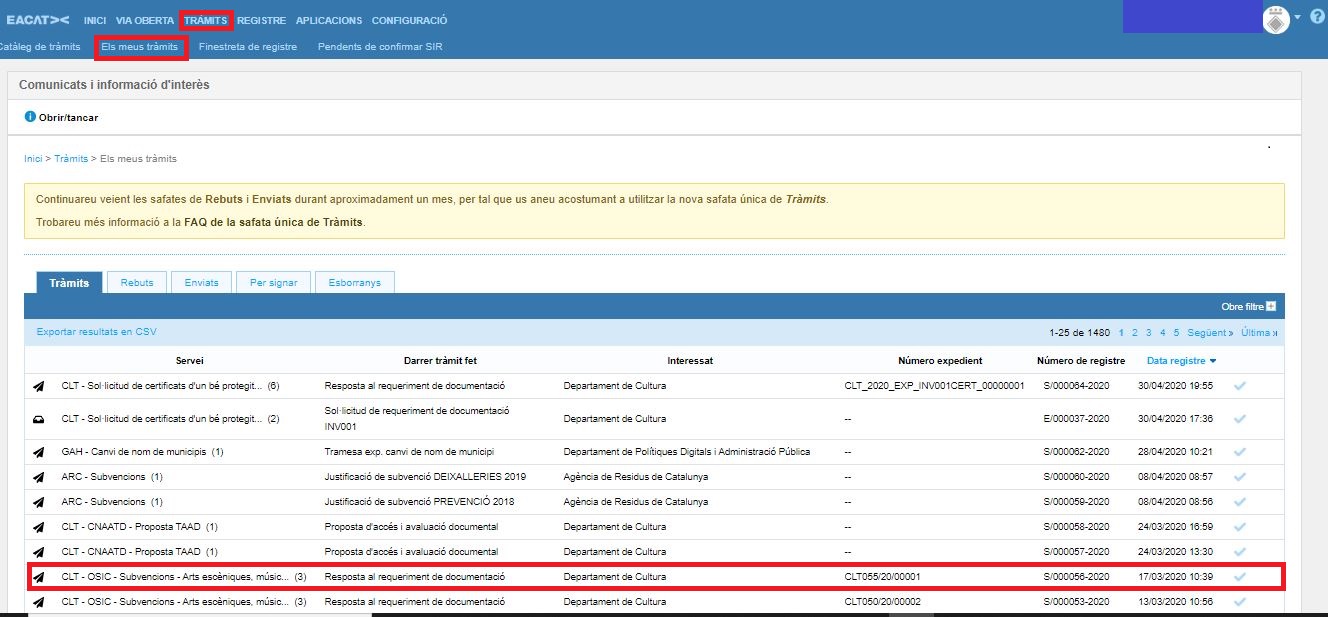
- Open the processing flow, in which you will find all the procedures that make up it.
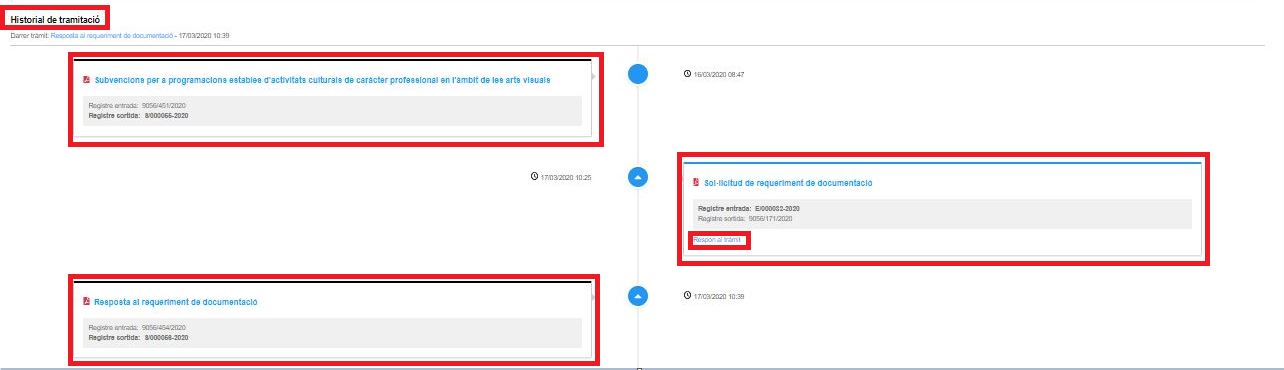
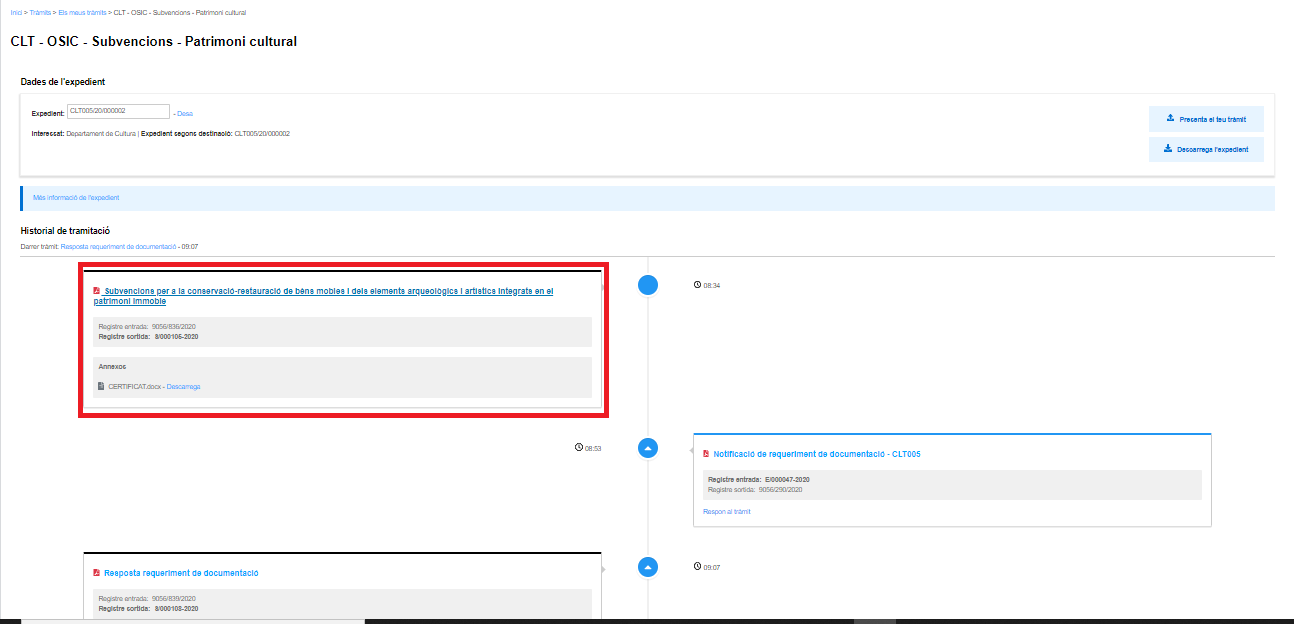
- Select the procedure you want to view by clicking on the title.
- Once in the PDF form, press the attachment clip provided by Adobe Acrobat itself.
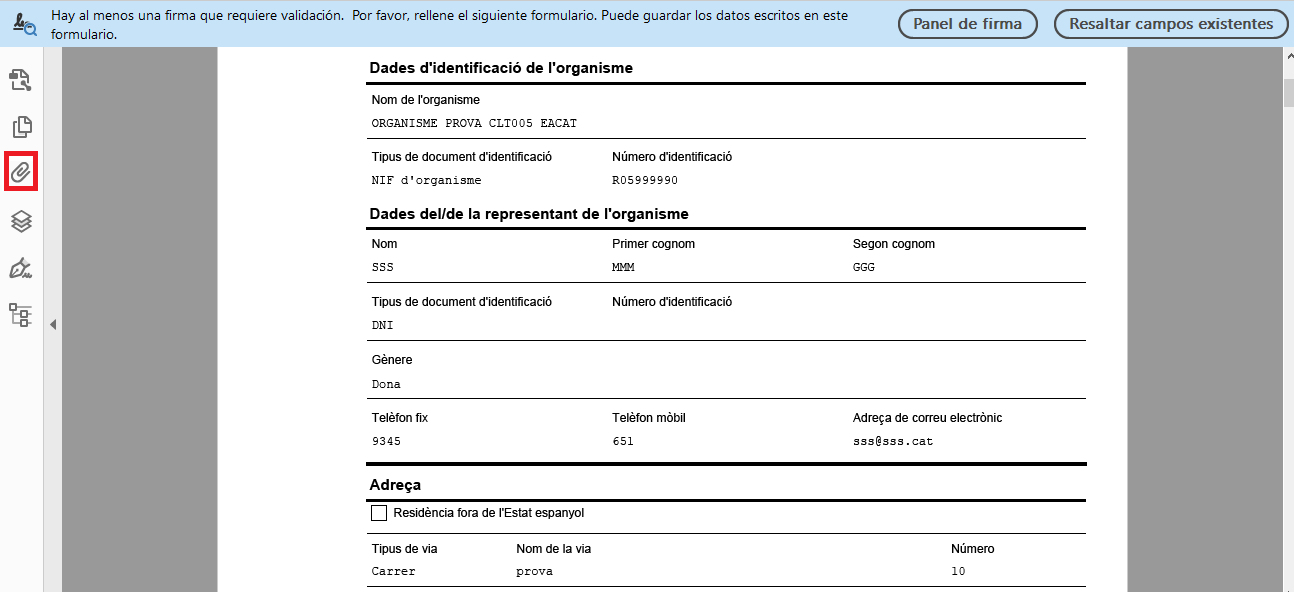
- A window opens where you can see the titles of the files contained in the form . From this same option you can open and download the attachments to the procedure.