



 Copy link
1. What is it?
The Registry Office is an electronic space that allows you to submit documentation associated with procedures between administrations.
This tool:
- Send the documentation in PDF format to the electronic registry of the recipient entity.
- Generate a receipt once the procedure has been registered.
Where is it located?
You can access it from:
- Processing area > Registration office

- The actions icon (…) > Submit procedure , within a specific procedure

3. What procedures can you send?
Procedures that meet these conditions can be sent:
- Forms in PDF format downloaded from EACAT Procedures.
- Forms that require external attached documentation instead of incorporating it within the document itself.
- Non-self-sending PDFs (without the Send button).
4. How do you submit paperwork?
- First attach the PDF form corresponding to the procedure .
- Add, if necessary, the attached documentation.
The rules for attached files are:
- File names cannot exceed 80 characters .
- The attached documentation files can have any extension.
- You can attach up to 10 additional files (not counting the form).
- Each file can have a maximum size of 10 MB .
5. How to access a submitted procedure?
After pressing Send , the system may display different situations:
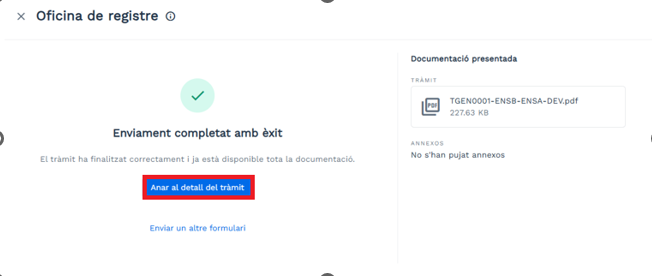
- Procedure completed
You can access it directly with the Go to procedure details button.
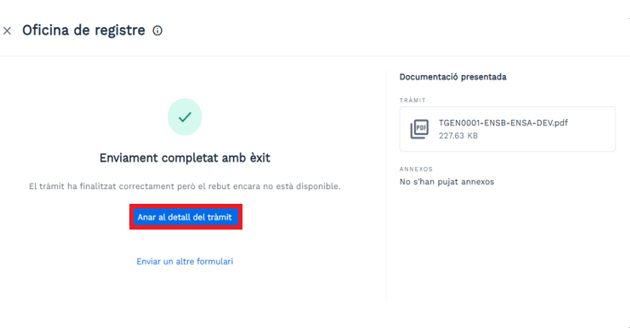
- Procedure completed but pending receipt
The receipt is not yet available, but you can now access the procedure with the Go to procedure details button.
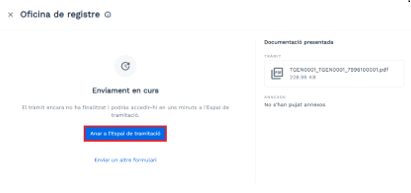
- strong>Process in progress
You will have to wait a few minutes and access it from the Processing Area, by pressing the Go to Processing Area button.
- Sending order: First send the form, then the attached files (attached documentation).
- Forms from the same environment: You can only submit PDF forms downloaded from the same environment (production or pre-production).
- Do not resend procedures in progress: If a procedure is already being processed, do not resend it.
- Procedures from your entity: You can only send procedures from the entity you are working with at that moment.
- Active procedures and services: You cannot submit a form if the procedure or service is inactive.
- Correctly completed forms: Check that the form is complete and correctly filled out before submitting it.
In short, if the process has been completed, you will access it directly. If not, the system will redirect you to the Processing Area.
6. Good practices when sending paperwork
To avoid errors and speed up the management of procedures, follow these recommendations:
Find related information at ET - What types of forms are there in EACAT?