



 Copy link
1. Introduction
In EACAT Procedures, files are initiated from the Services and Procedures Catalog , using the corresponding initial procedure. However, responses to procedures are managed from the procedure details in the Processing Space .
Please note that not all procedures allow responses. To find out if a procedure allows responses, you can consult the service file in the Catalog. The Reply button only appears in those procedures that have a response enabled.
Additionally, the response procedure varies depending on the type of form associated with the process. However, most processes share some common preliminary steps before starting the response form.
1.1 Previous steps to respond to a procedure
Before responding to a procedure, you must follow these steps:
- Start a procedure from the Catalog of services and procedures to be able to respond to it. Since any file begins with an initial procedure and these can only be done from the Catalog.
- The procedures for initiated files are found in the Received and Sent processing tray of the Processing Space .
- Search for the procedure to be answered in the Processing Space, using the advanced search.
- The search result will be a list of procedures .
- Click on the procedure you are interested in answering. When you select an answer:
- If it is a PDF form , the document will be downloaded to your device so you can fill it out, sign it, and send it.
- If it is a web form from the Generalitat de Catalunya or an old web form from the AOC Consortium (EACAT Classic) , an information window will appear indicating that the processing will continue on another platform.
- If it is a new web form , it will open directly within the platform.
From this point on, the processing process varies depending on the type of form.
1.2 Types of forms available
Currently, EACAT Trámits has the following form types:
- PDF form
- Web form of the Generalitat de Catalunya
- Consortium web form AOC
- EACAT Classic Forms
- New forms
1.3 Different situations of the Reply button within the procedure
The availability of the Reply button depends on the status of the service and the response process:
- Inactive service
If the service is suspended, unpublished, or closed, the Reply button will not appear. - Active duty
- If the response process is out of time , the Reply button will appear, but the response will not be available in the response drop-down.
- If the response process is temporarily suspended , the response will appear in the drop-down list, but when selecting it, a message will be displayed informing you of the temporary suspension and indicating that you must try again later, within the processing period.
2. Respond to a procedure with a PDF form
The steps to respond to a procedure with a PDF form are:
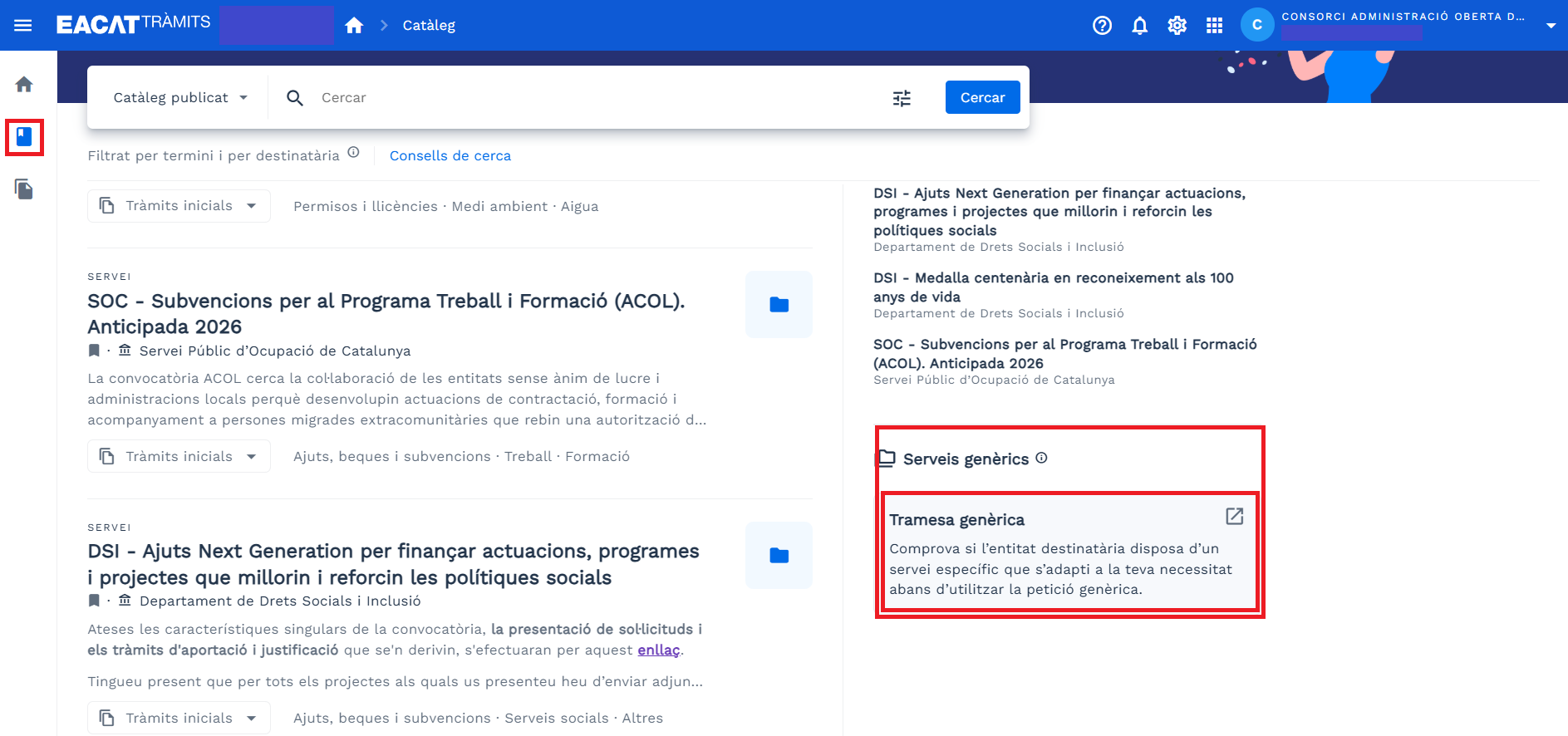
- The sending entity has sent a procedure - a generic submission - to the receiving entity. This procedure has been initiated from the Catalog of services and procedures, Generic services section. As the generic submission form is in PDF, it will be downloaded to our device and we will have to fill it out, sign and send it.
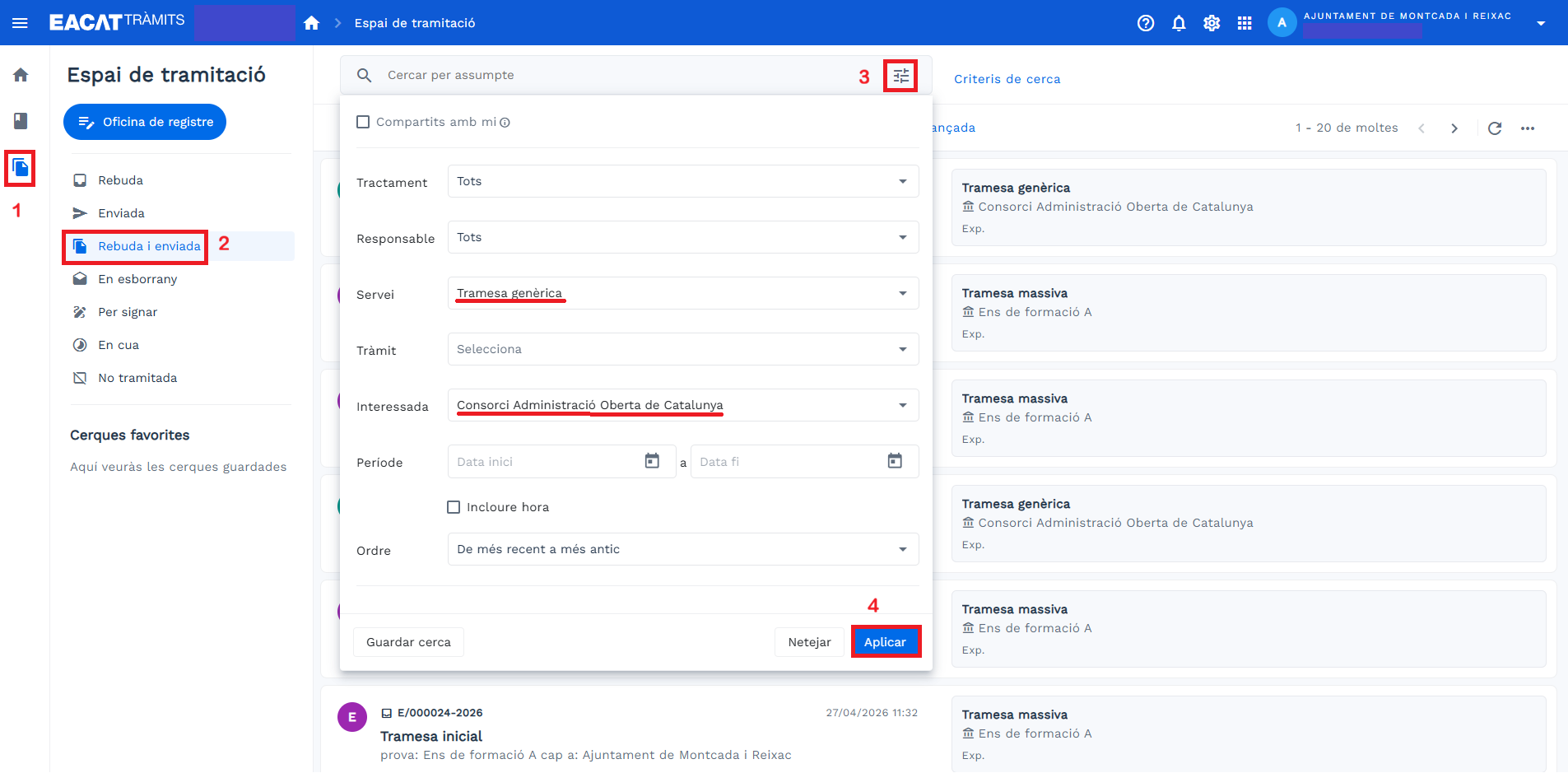
- Search for the procedure in the Received and Sent tray of the Processing Space, as a user of the receiving entity, following the steps in the image below:
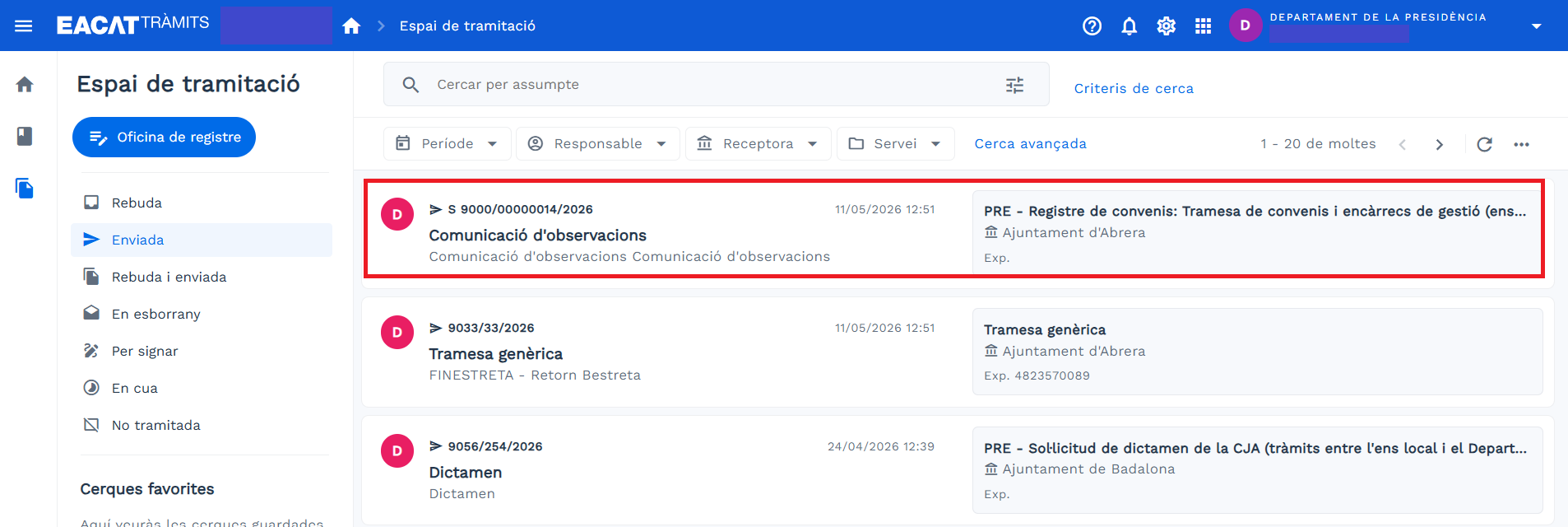
- The list of search files, after selecting the filters marked, is as follows:
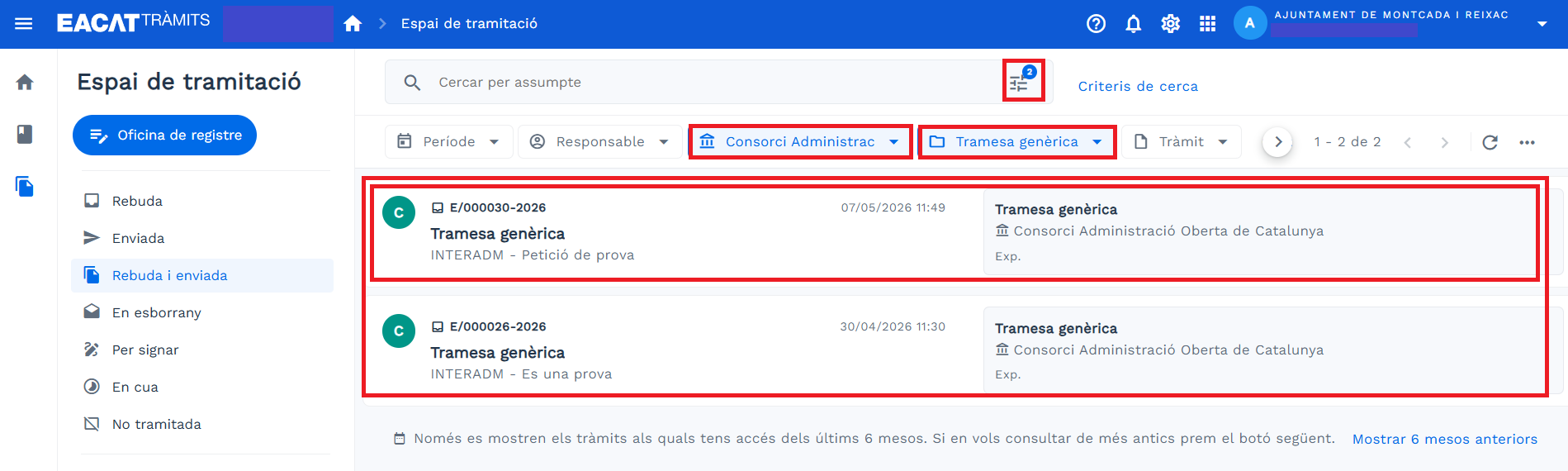
- Click on the procedure you want to answer, if the search has been effective; if it has not been, search again through the advanced search.
- Within the procedure, click Reply and you will see the available response procedures.
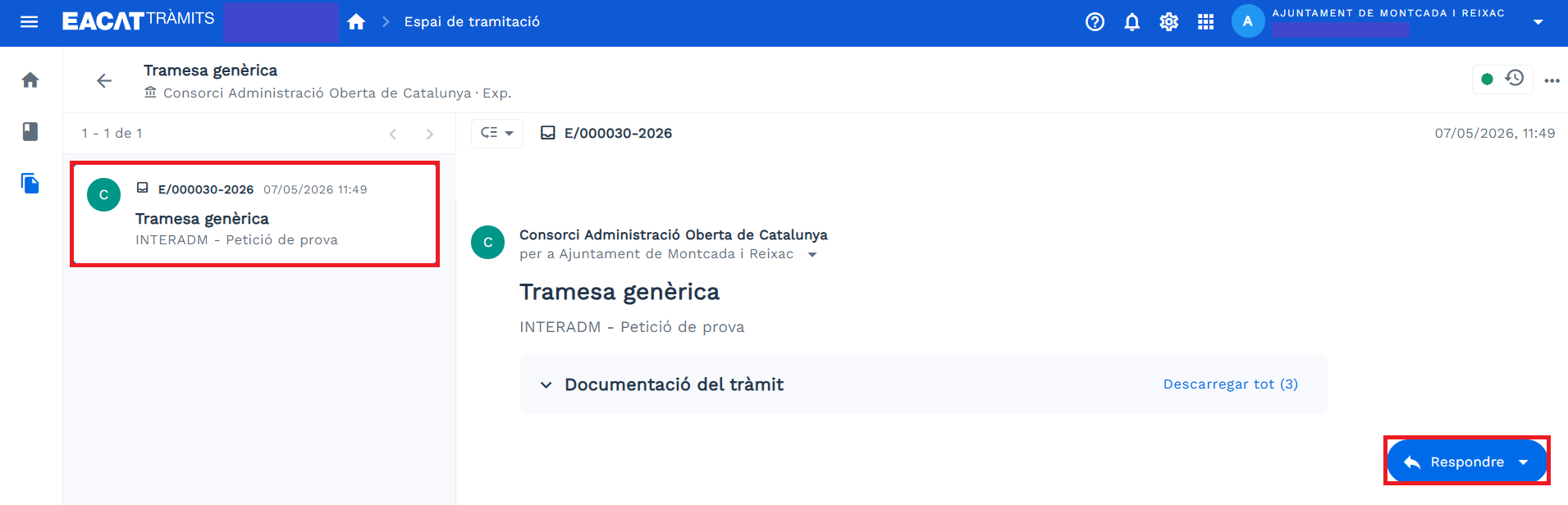
- In this case, select Communication , which is the only response procedure that the generic submission has.
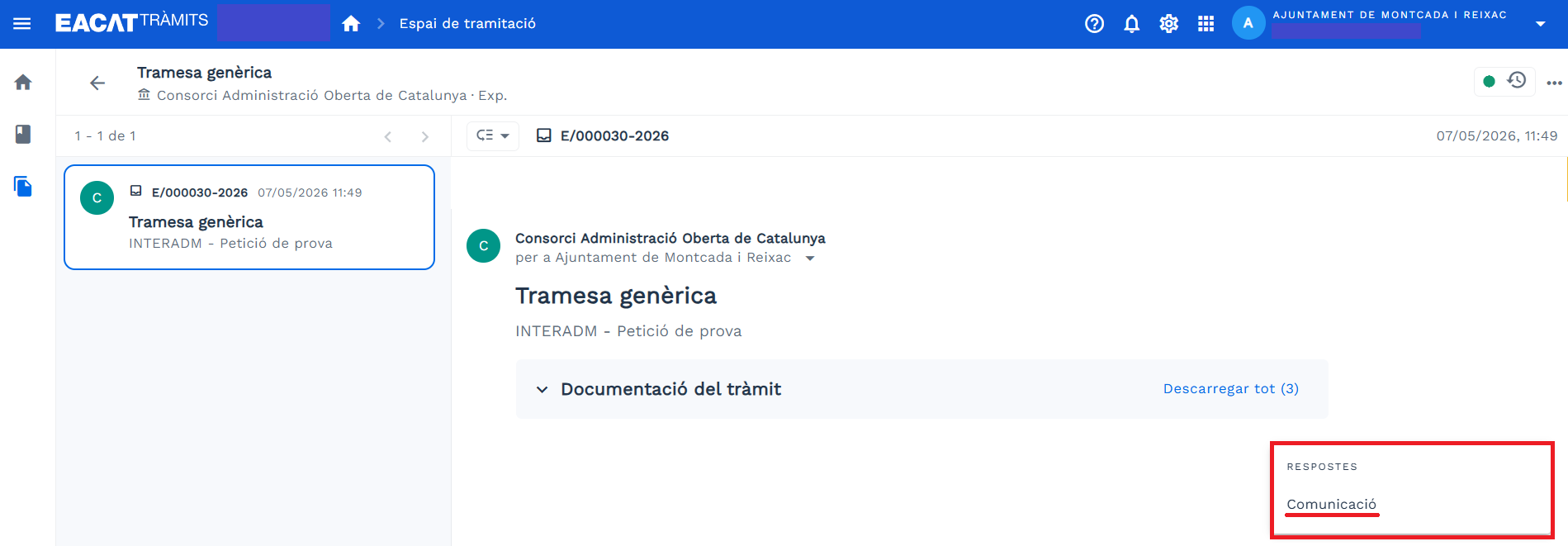
- When you click on Communication , you will see a pop-up help text appear in the lower right, indicating that the PDF is being downloaded to your device.

A help text also appears at the top that says Loading . - Now it will be a matter of finding the PDF form for the response procedure on your device.

- You open the file, fill it out, sign it and send it.
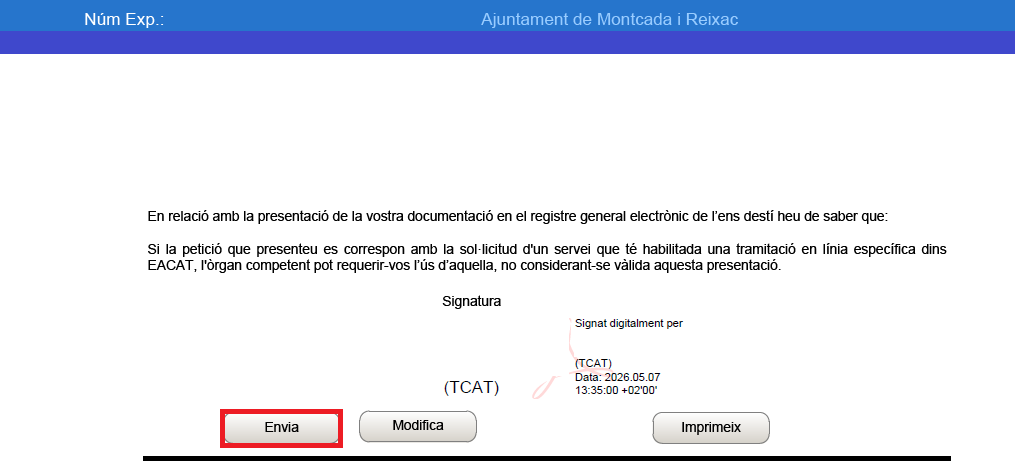
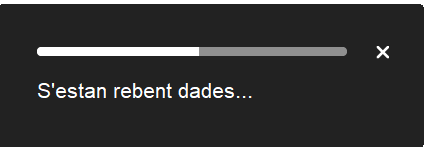
- While the PDF is being sent to the entity receiving the response, different pop-up help messages will appear, indicating, for example, that:
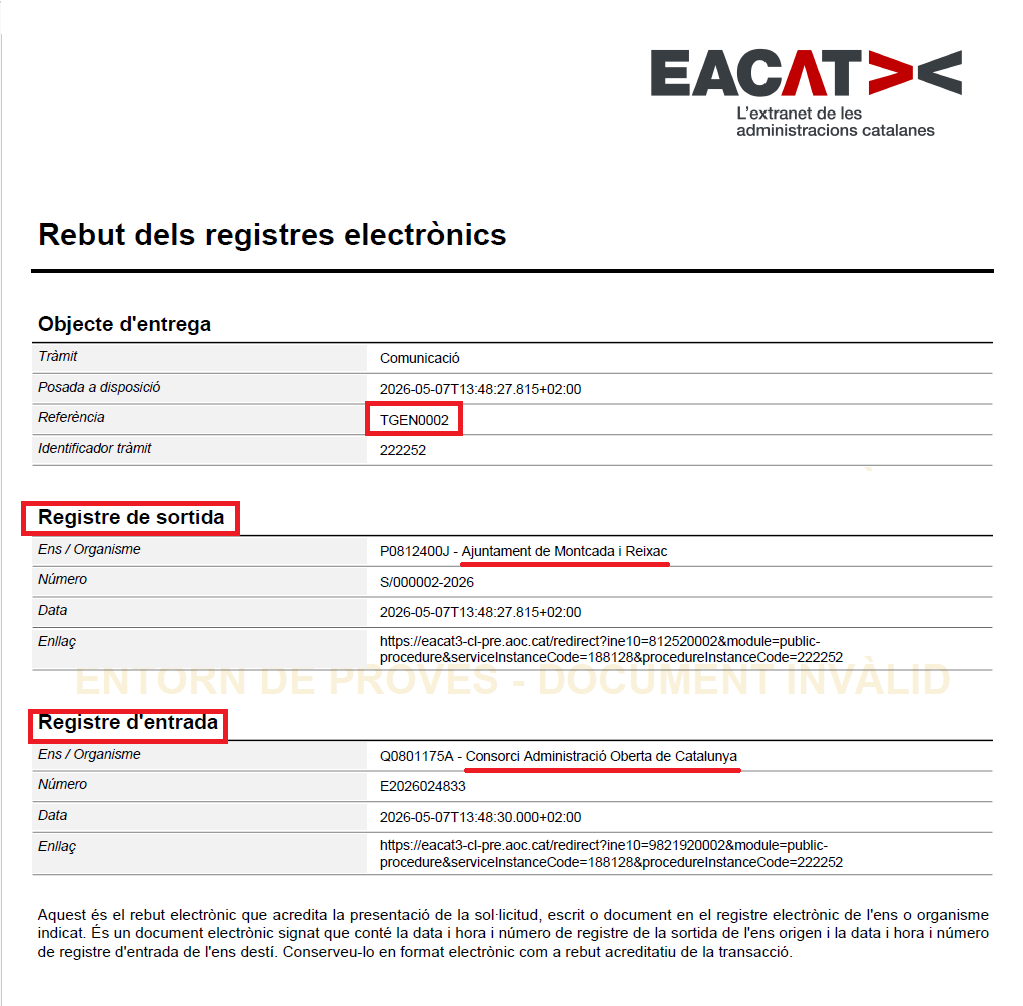
- Once the submission is complete, the PDF file of the receipt of the procedure will be generated with the information on the entry and exit records of each entity.
- You can see the procedure in the Sent tray of the Processing Space.
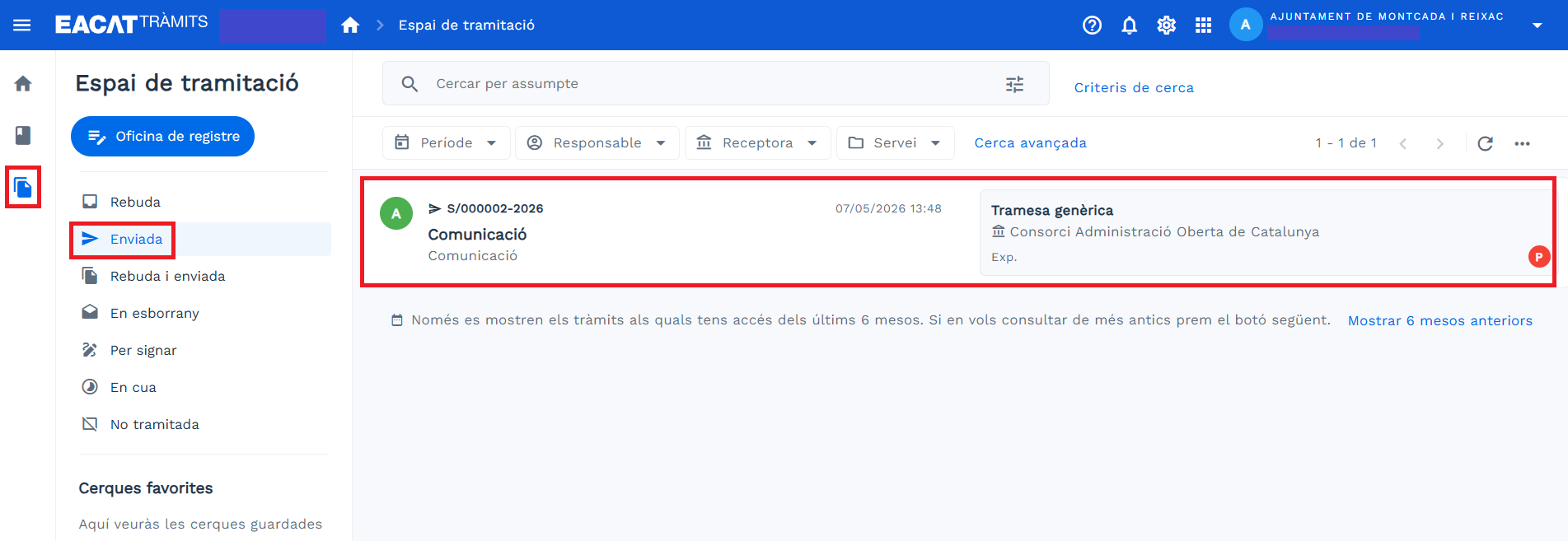
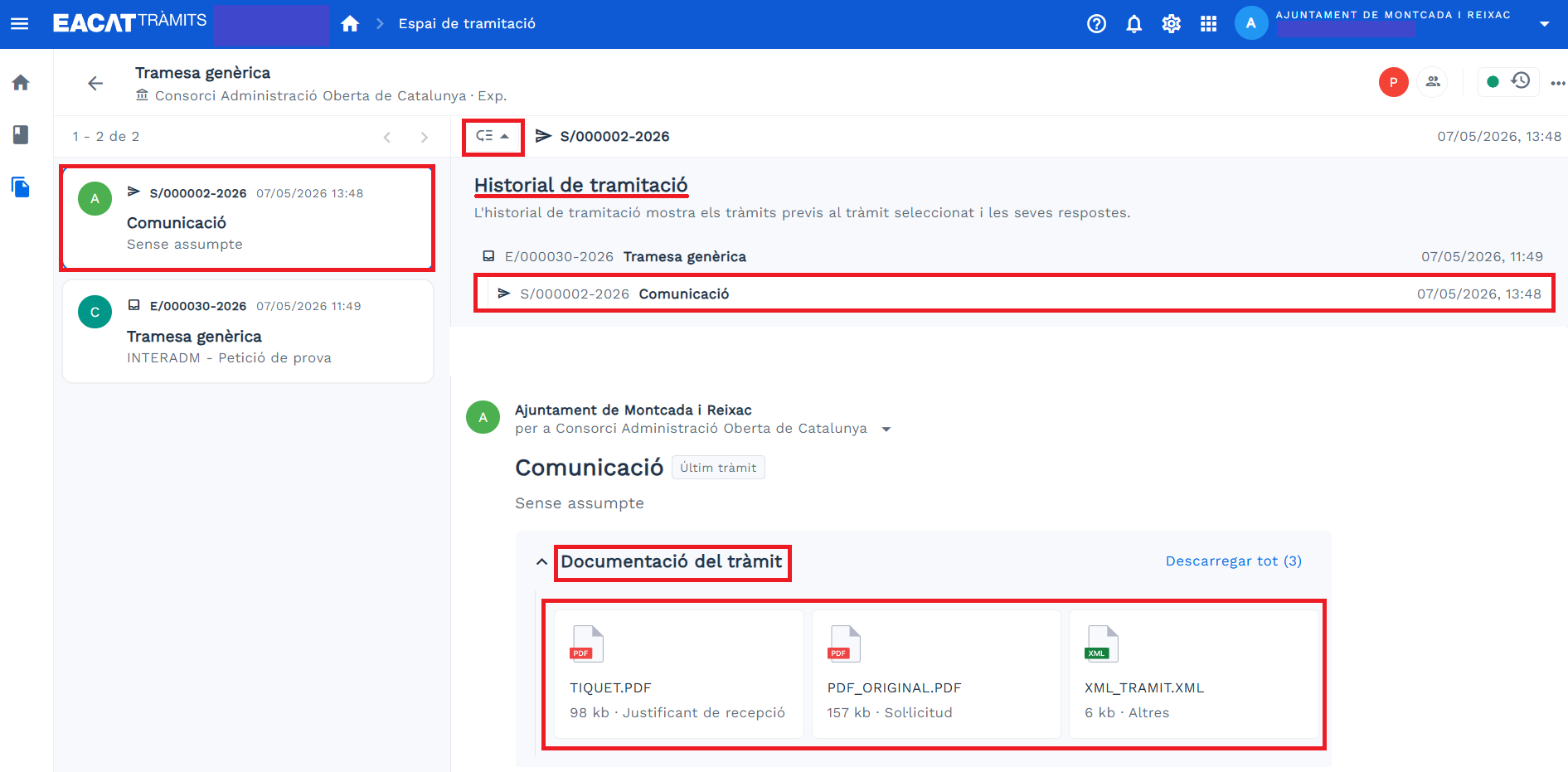
- By clicking on it, the procedure opens and you will find all the information:
- On the left, all the procedures and what has been sent is indicated.
- Processing history
- Procedure documentation, in this case we only see the documentation associated with the procedure, that is, the one that is automatically generated. There could also be the attached documentation that must be sent as a requirement for the procedure.
3. Respond to a procedure with a web form from the Generalitat
The steps to respond to a procedure that is done with a web form of the Generalitat are:
- The issuing entity has sent a procedure to the receiving entity. This procedure has been initiated from the Services and Procedures Catalog. The receiving entity will find it in the Received tray of the Processing Space .
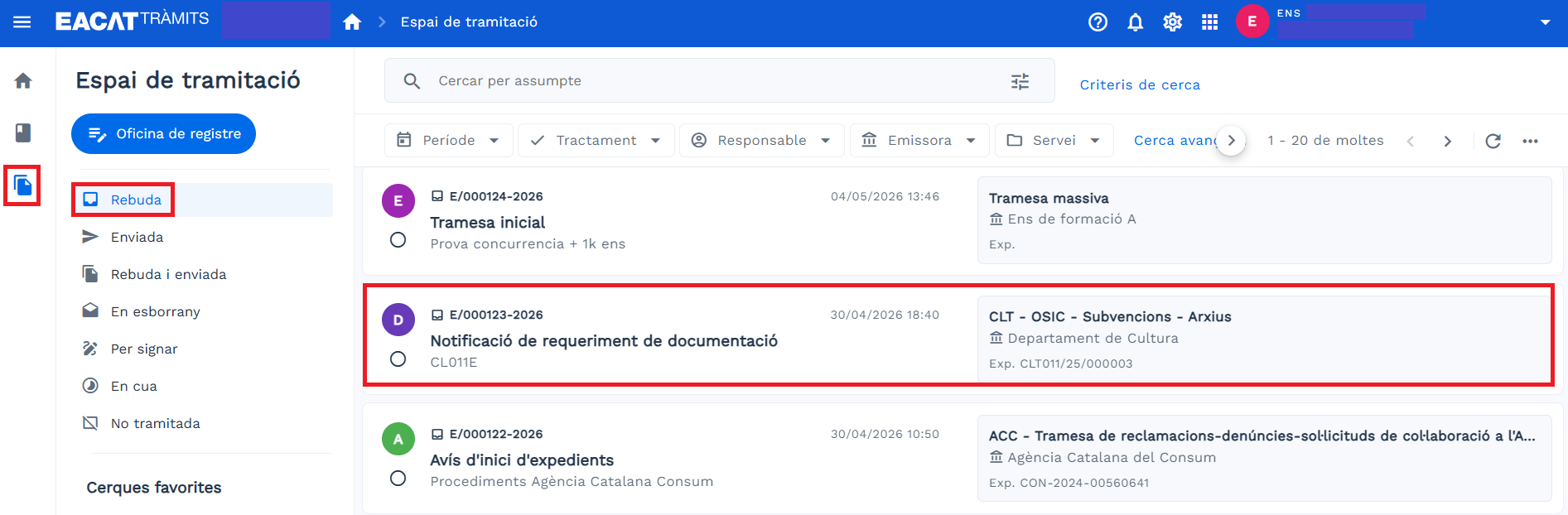
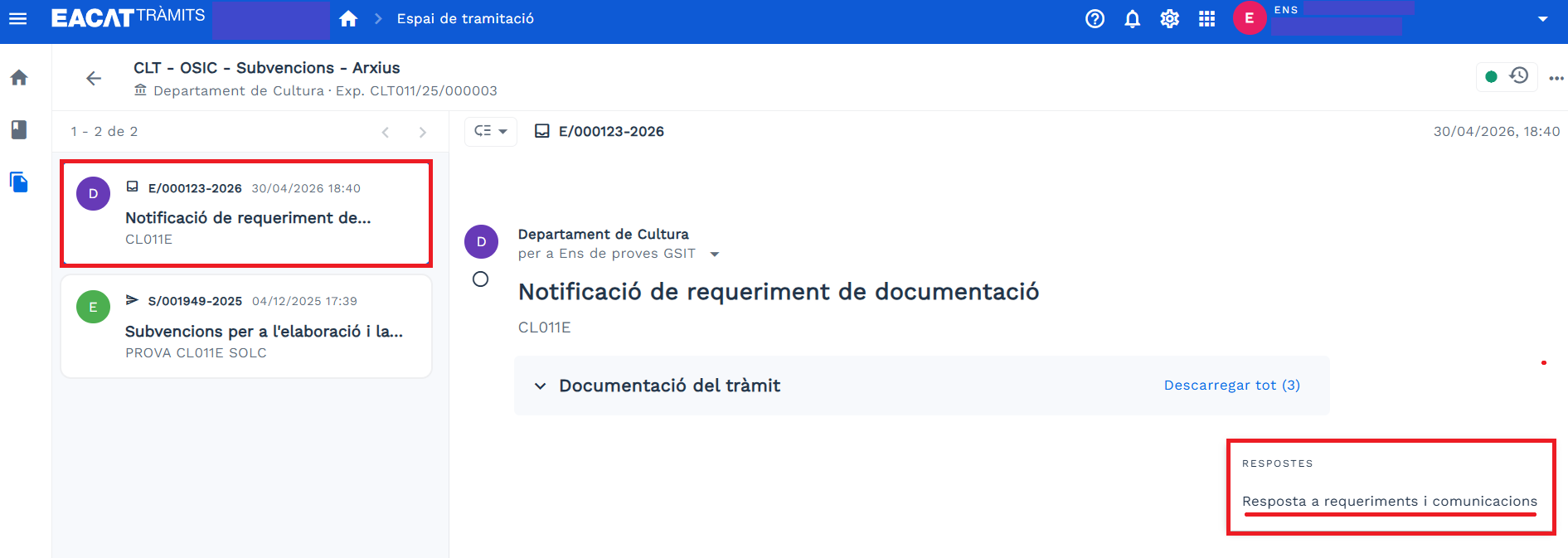
- By clicking on it, the procedure opens and you can see all the information:
- On the left, all the procedures and note what has been sent.
- Processing history
- Procedure documentation
- Reply button
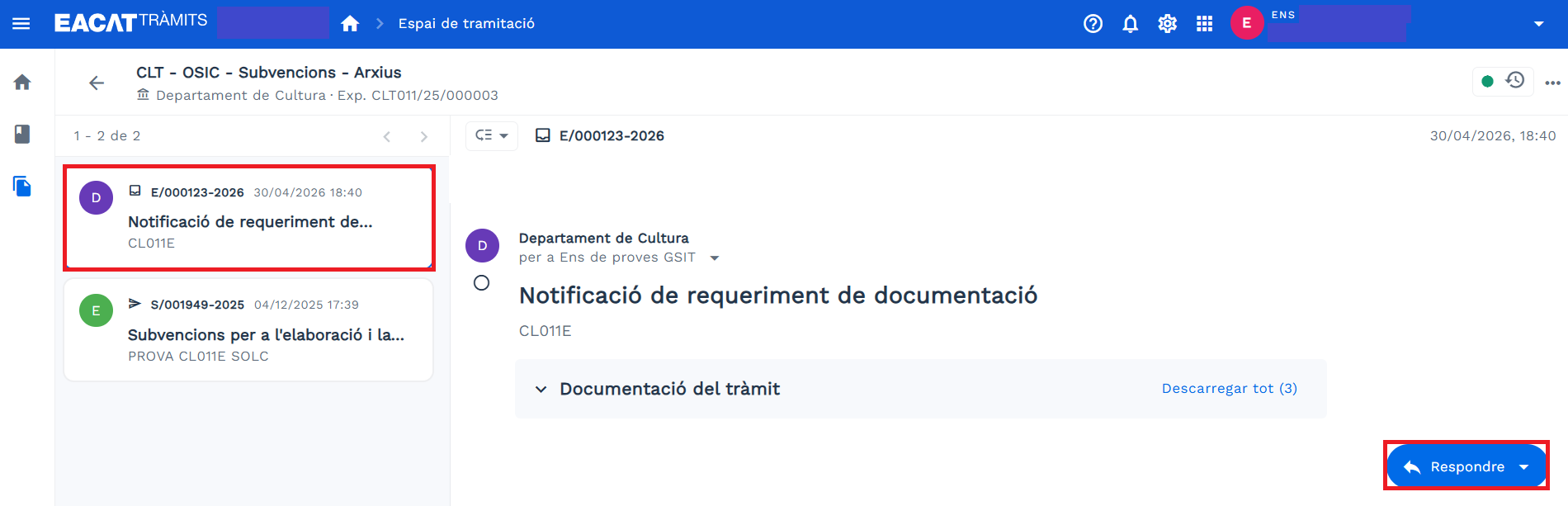
- By clicking on Reply , you will see the procedures that are for replying. Select the one that interests you.
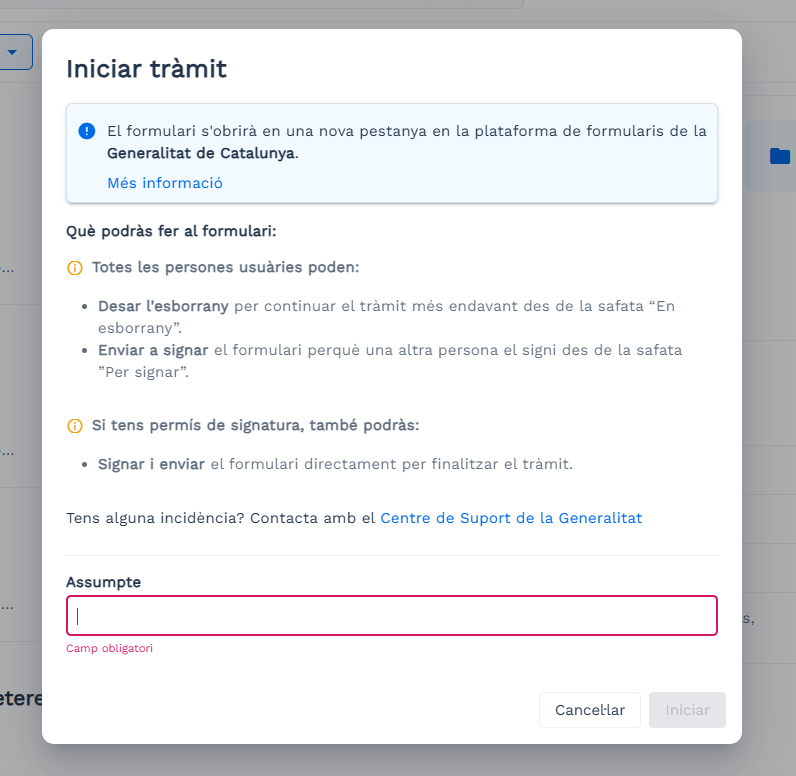
- The Start procedure window appears, informing you that from this moment you will leave the EACAT platform and enter the forms platform of the Generalitat de Catalunya and you will have to:
- Write the Subject of the procedure
- Click Start
- From here we will differentiate between:
- If you are the person editing the form , you have been assigned the basic permission of EACAT Procedures. Therefore, you will be able to start and continue the procedure. The steps to follow are:
- Fill out the form.
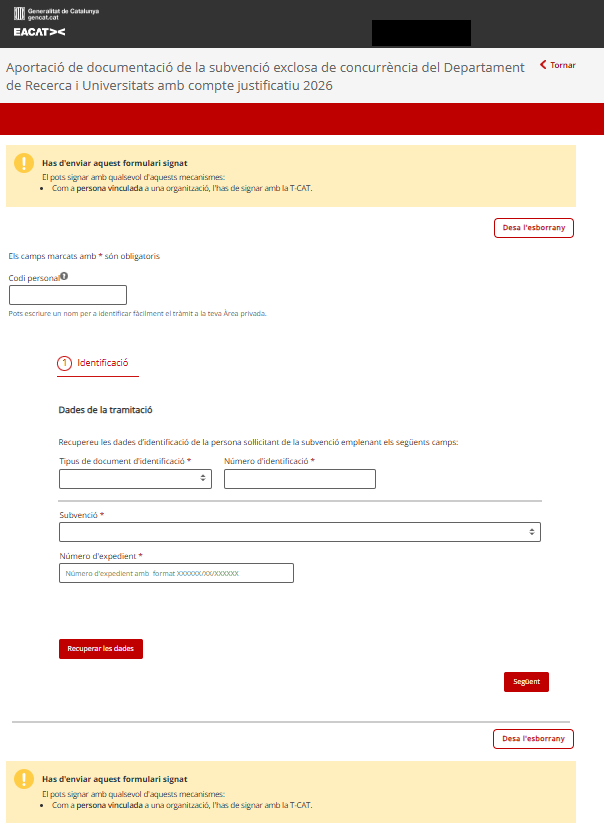
- If you haven't finished it yet or want to continue it later, press Save draft . The process will be saved in the In drafts tray, where the processes you have created and are still working on are located.
- When the form is ready to sign:
- Press Send for Signature if someone else needs to sign it.
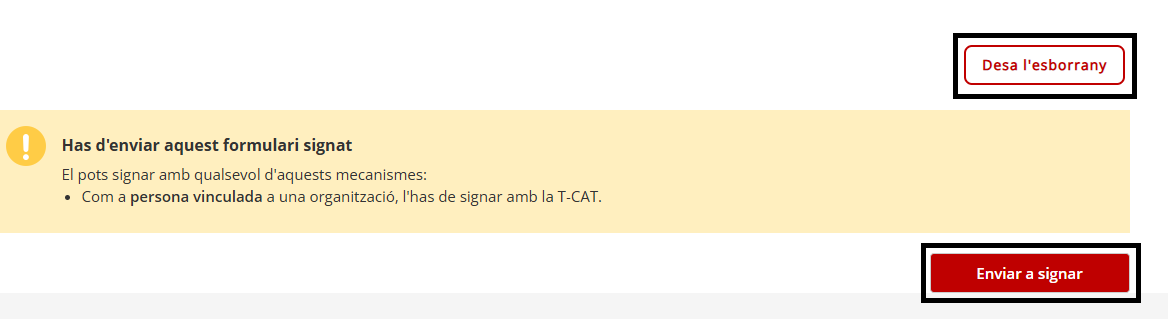
- If you are also the signatory, you can press:
- Send , if the form requires an ordinary signature, or Send and sign , if it requires an advanced signature (T-CAT), to finalize it.

- Send , if the form requires an ordinary signature, or Send and sign , if it requires an advanced signature (T-CAT), to finalize it.
- Press Send for Signature if someone else needs to sign it.
- Fill out the form.
- If you are the only person signing , you have been assigned the signing permission of EACAT Procedures. The steps to follow are:
- Go to the To Sign tray to open and review the content of the procedure. This tray contains the procedures pending signature and is only visible to people who have signing permission in EACAT Procedures.
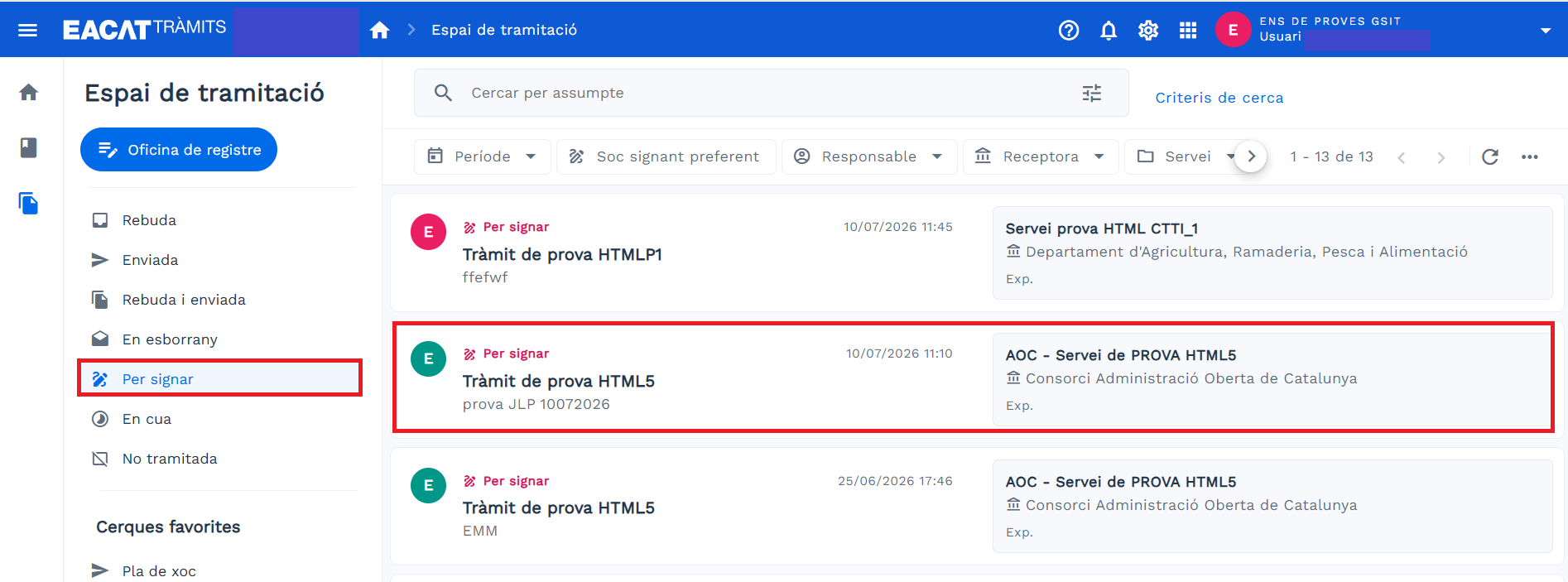
And you will be able to:- Return to draft , if modifications are necessary. And then, we will have to wait for the editor to make the necessary amendments and return to point 4.
- Send , if the form requires an ordinary signature, or Send and sign , if it requires an advanced signature (T-CAT).
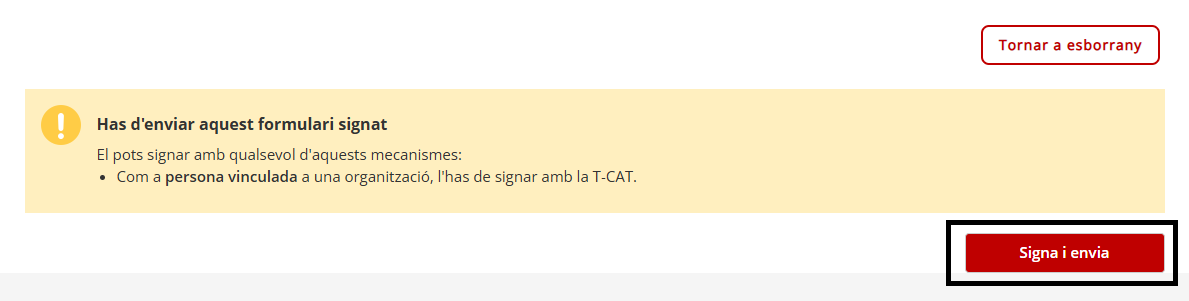
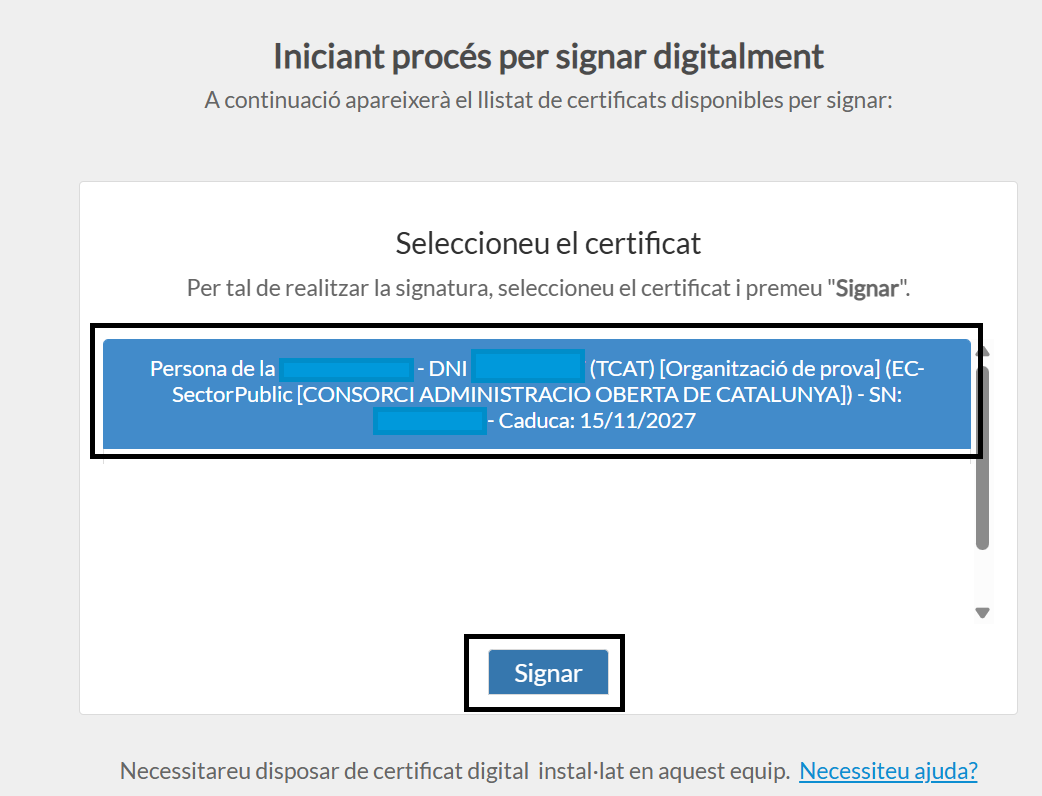
If it is an advanced signature, select the digital certificate T-CAT or similar using the Signador
- Go to the To Sign tray to open and review the content of the procedure. This tray contains the procedures pending signature and is only visible to people who have signing permission in EACAT Procedures.
- If you are the person editing the form , you have been assigned the basic permission of EACAT Procedures. Therefore, you will be able to start and continue the procedure. The steps to follow are:
Remember that if you only have signer permission and you return the document to the Drafts folder, you will not be able to send it back for signature. The editor will have to make the necessary changes and send it back to the For Signature folder.
- Once sent, the basic details of the procedure appear and you can download the registration receipt to your device, by pressing Download registration receipt .
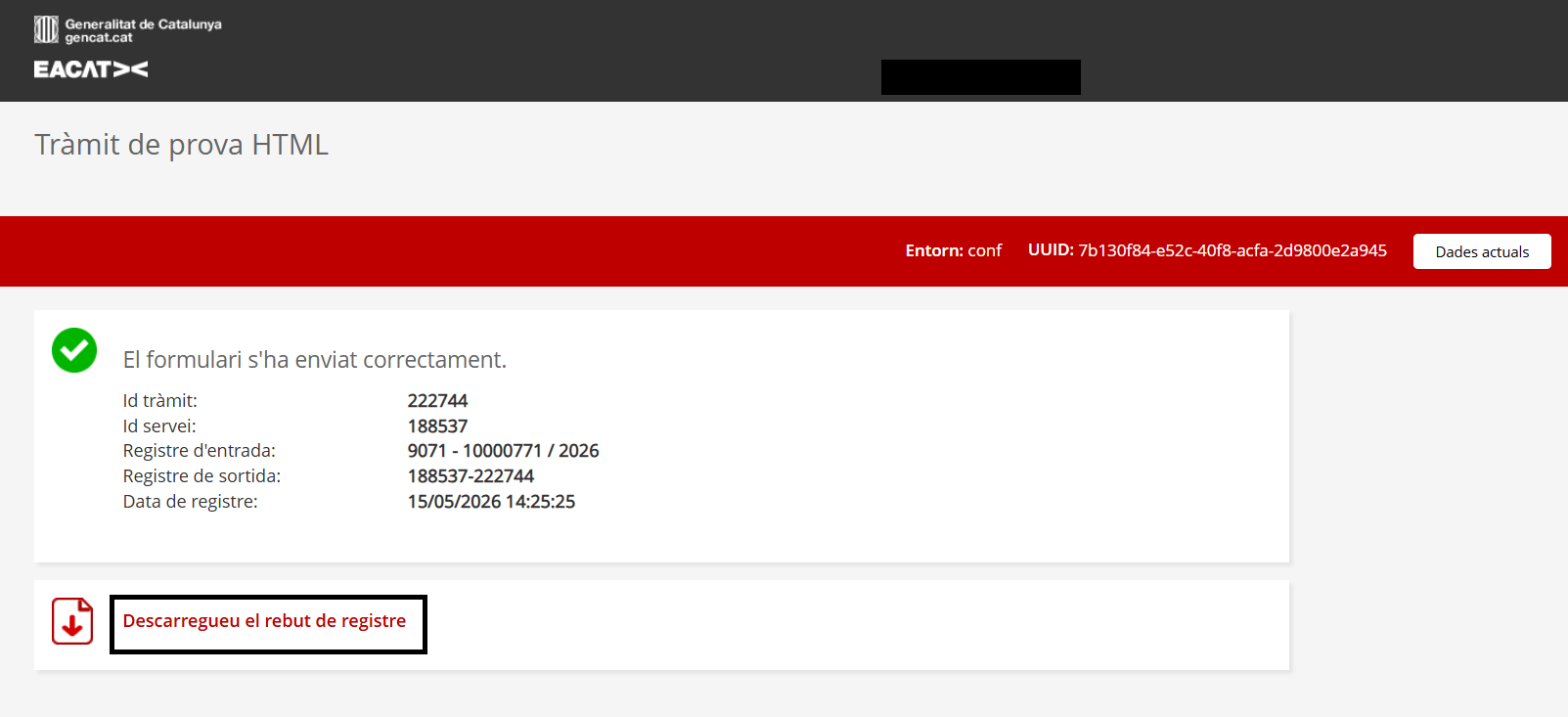
- Once the submission is complete, a receipt for the procedure will be issued, with information on the entry and exit records.
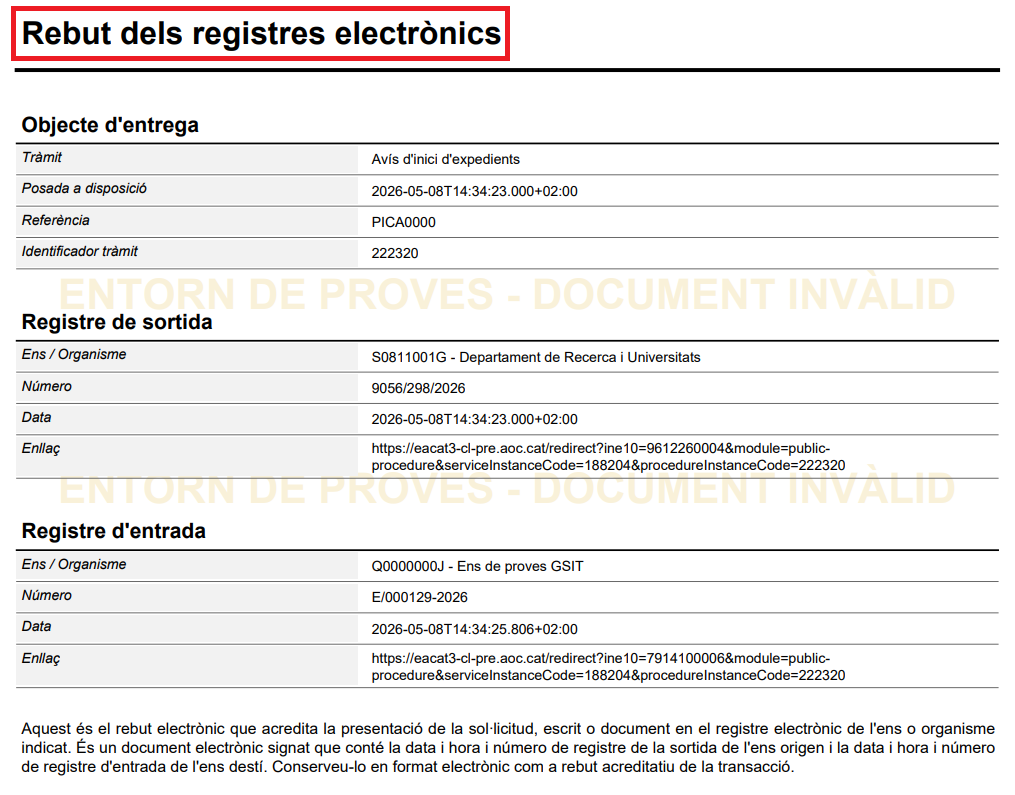
- You can see the procedure in the Sent tray of the Processing Space .
Find related information at ET – How are the Generalitat's HTML forms processed?
4. Respond to a procedure with a EACAT Classic web form
The steps to respond to a procedure that is done with a EACAT Classic web form are:
- The issuing entity has sent a procedure to the receiving entity. This procedure has been initiated from the Services and Procedures Catalog. The receiving entity will find it in the Received tray of the Processing Space .
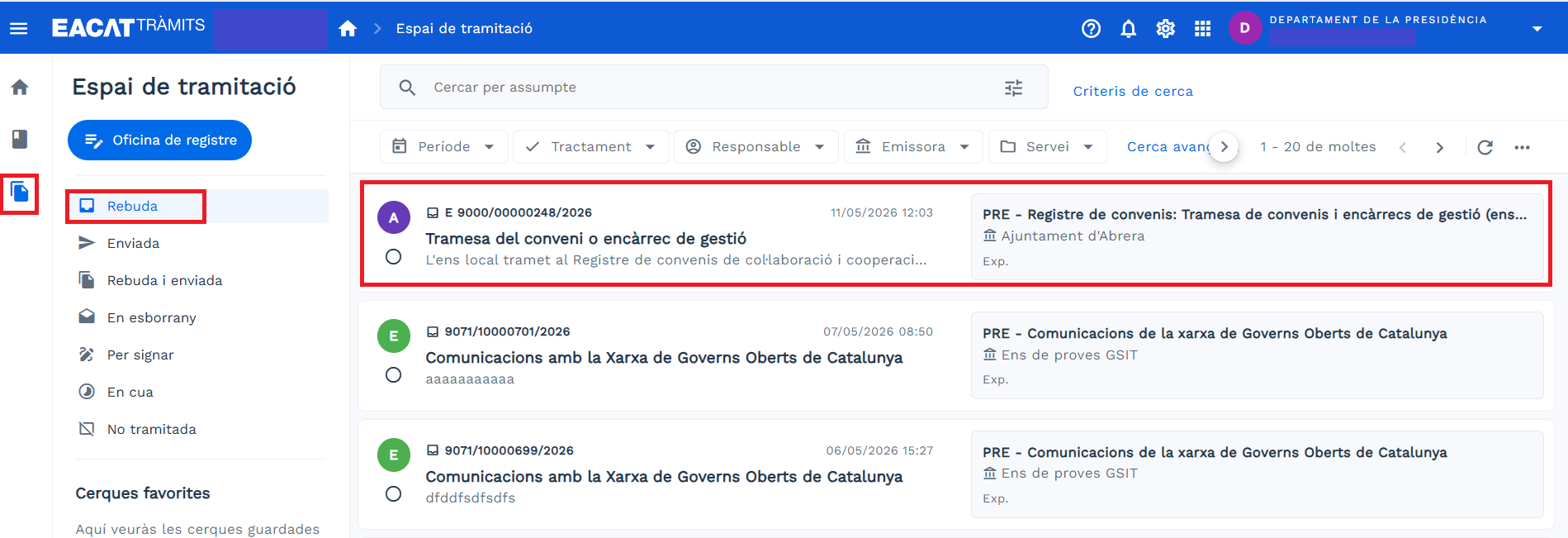
- By clicking on it, the procedure opens and you can see all the information:
- On the left, all the procedures and what has been sent is indicated.
- Processing history
- Procedure documentation
- Reply button
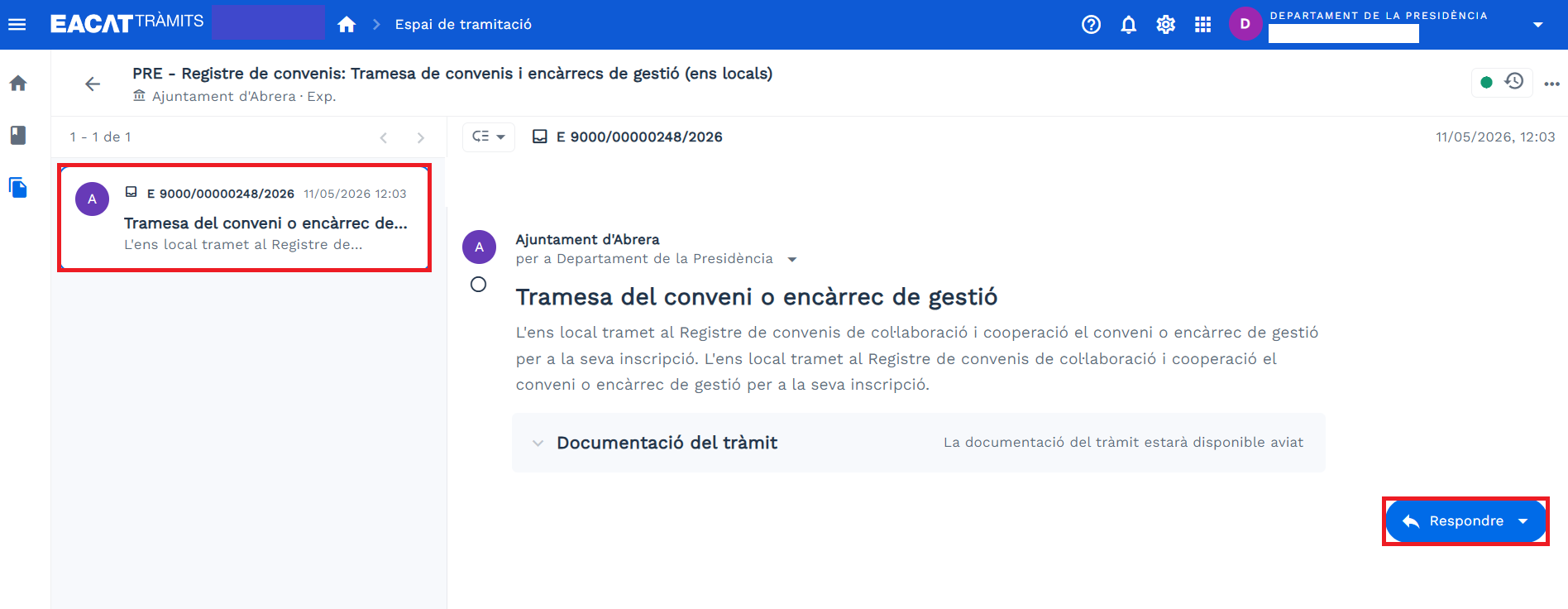
- When you click Reply , you will see the procedures that are for replying . Select the one that interests you.
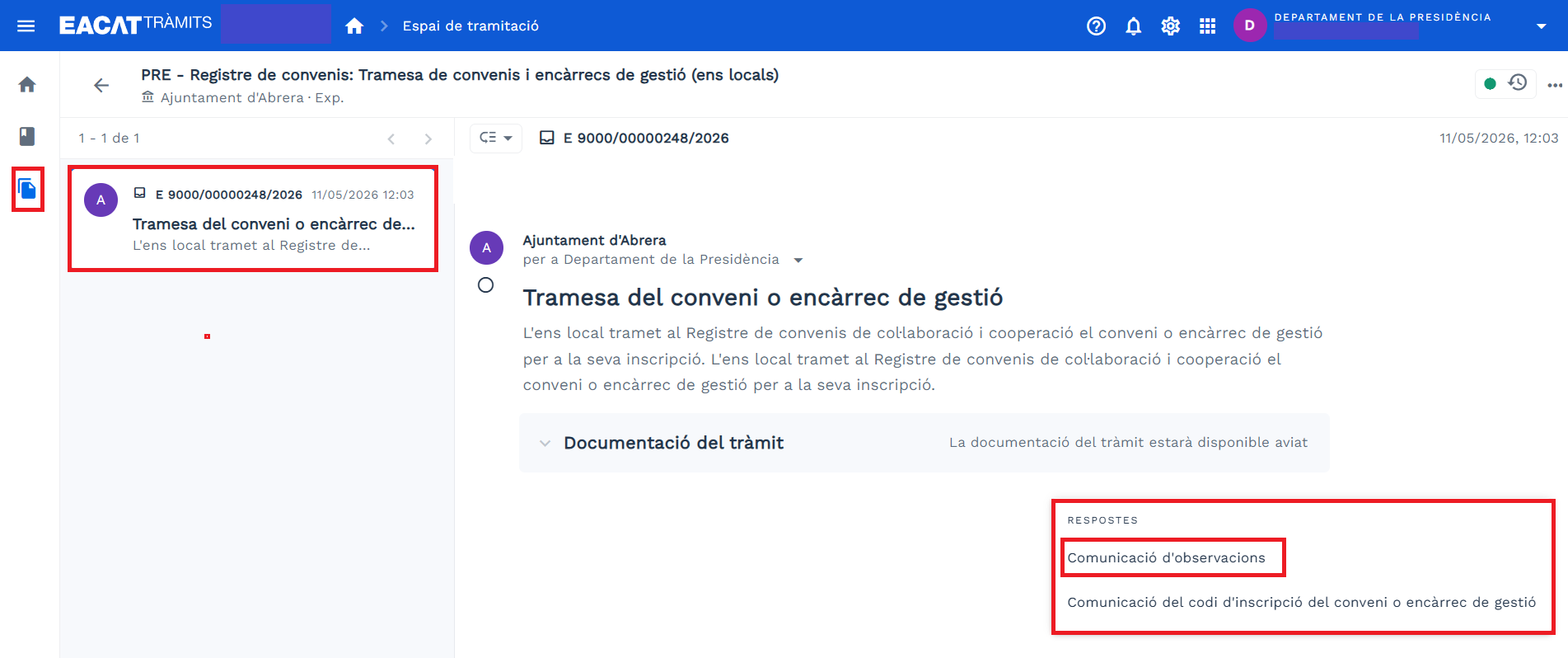
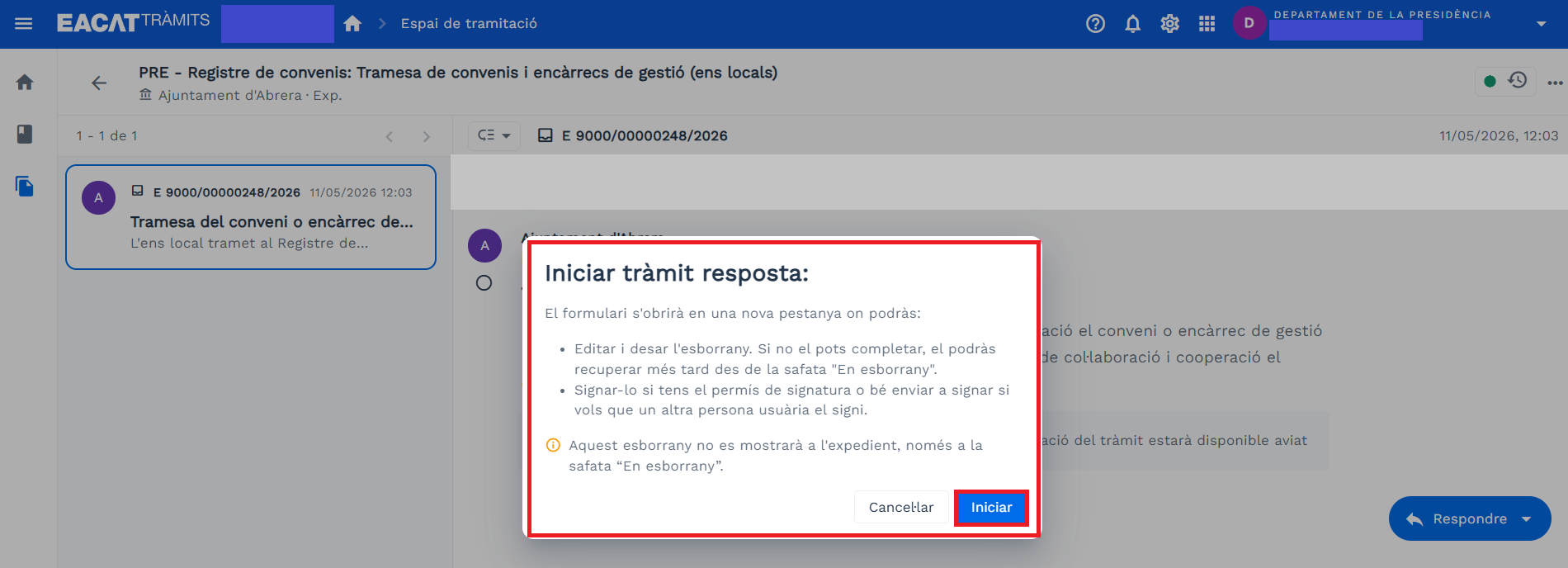
- The Start procedure window appears, informing you that from this moment you will enter the old EACAT Classic platform and you will have to click on Send .
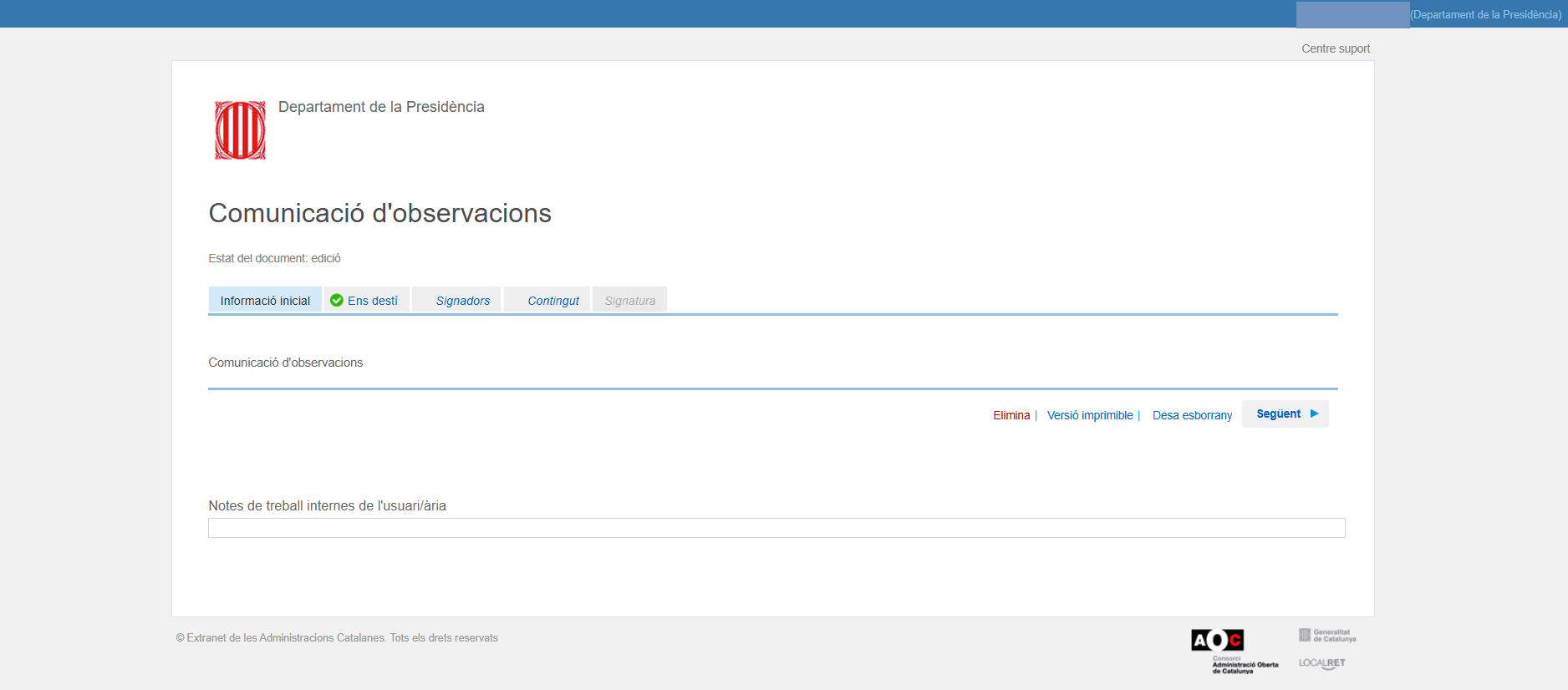
- You enter the response web form.
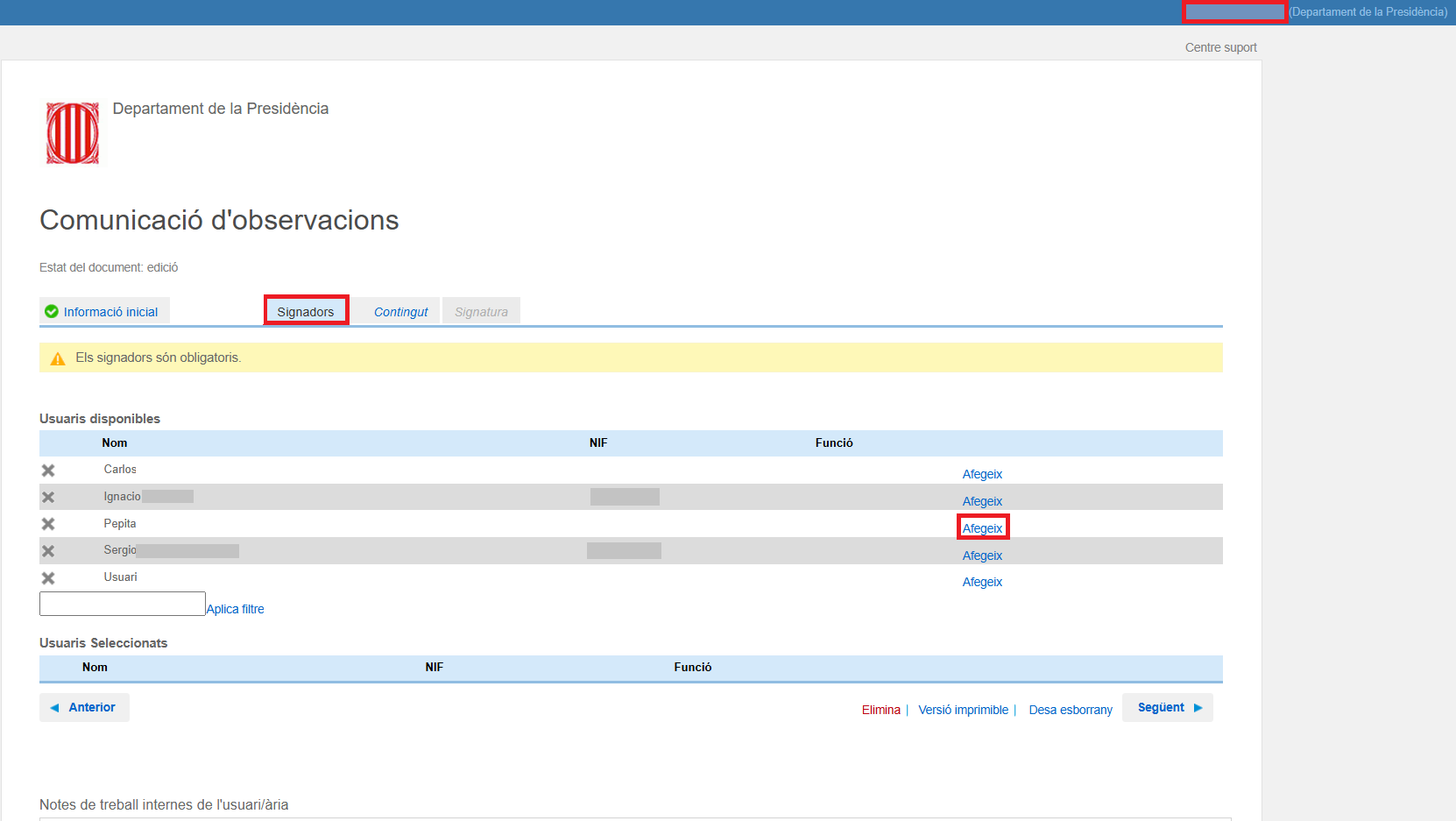
- Choose the preferred signatories, if the form requires it, by pressing Add .
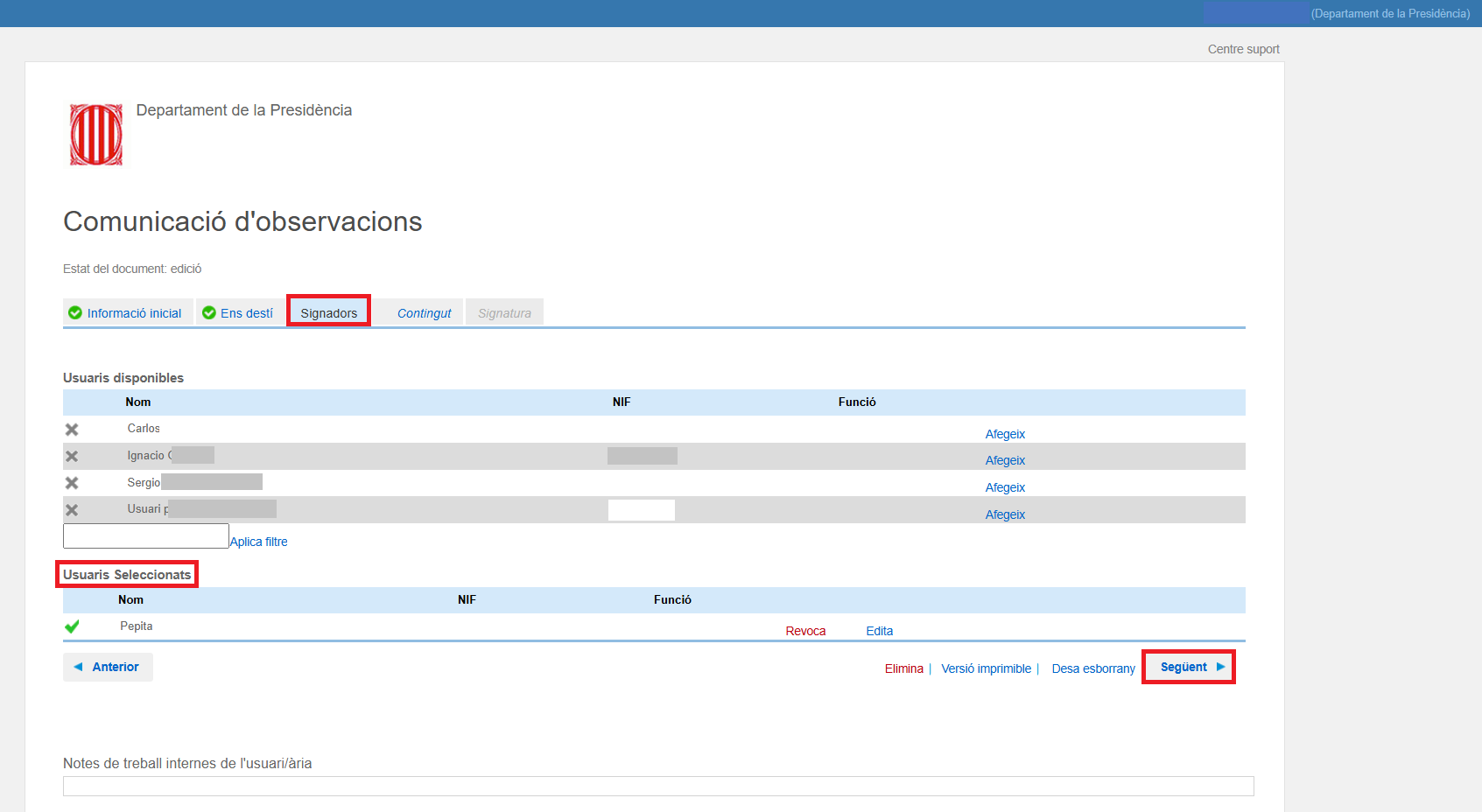
- The preferred signers are selected in the Selected users section and then click Next .
- Write the body of the content that the procedure must have and Send for signature .
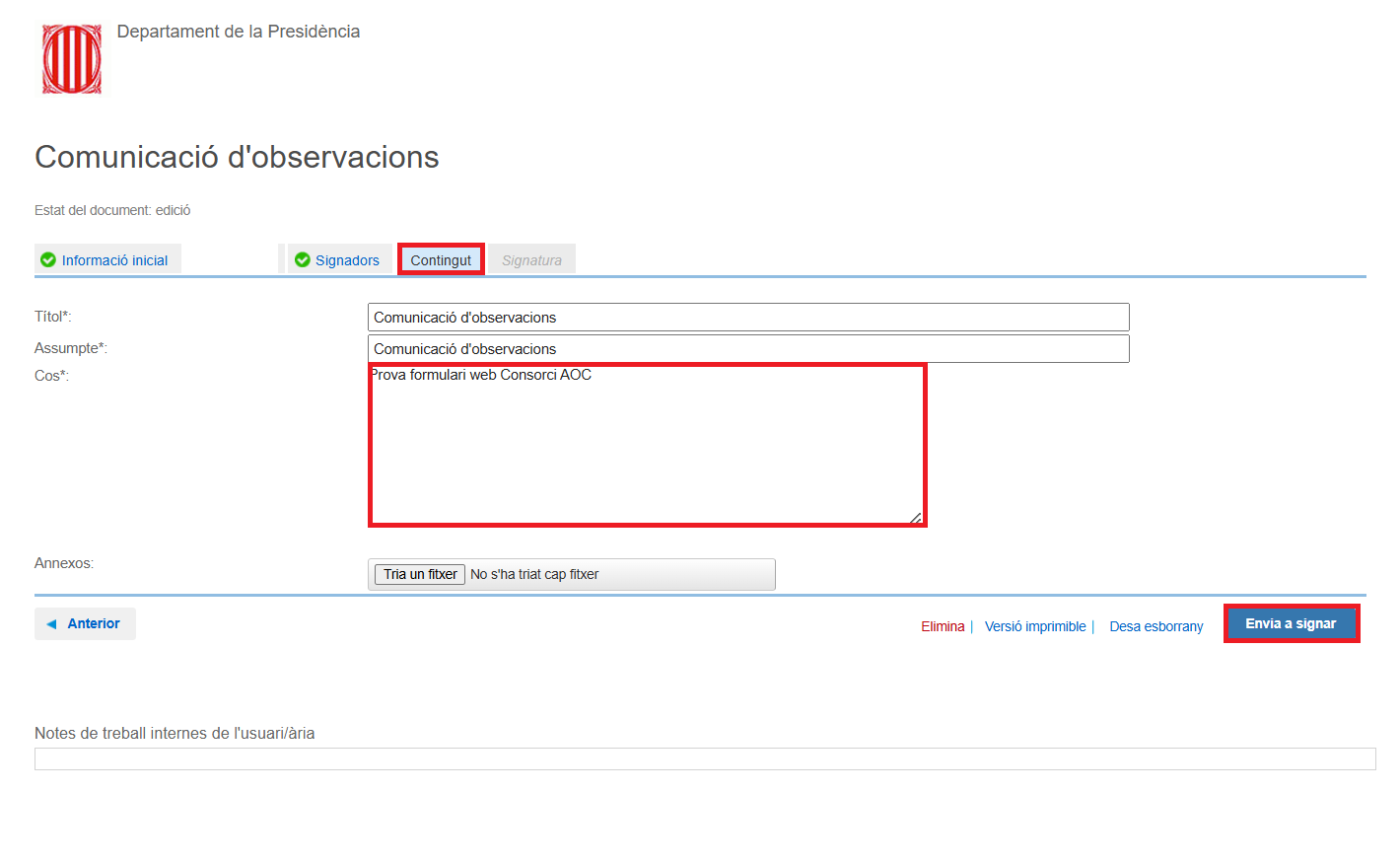
From this moment on, if the person signing the form is not the same as the one completing it, they will have to go to the To sign tray, click on the form and sign it. It should be remembered that the old web forms of the AOC Consortium are the only ones that have the status to sign and that you will find them in the To sign tray, provided that the user has signing permission within EACAT Forms.
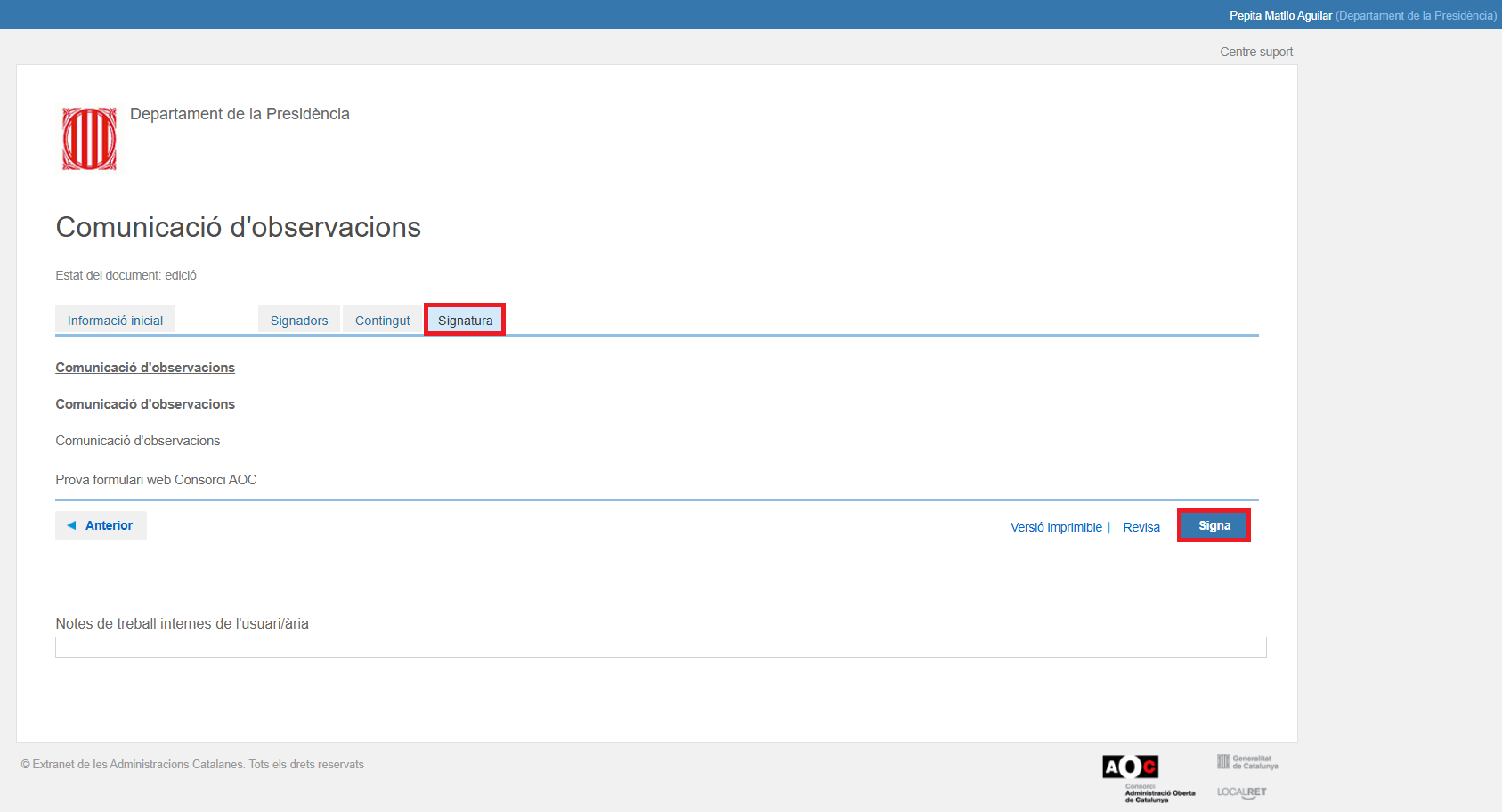
However, if the person completing the form is the same person signing it, press Send for signature. - The procedure appears in reading mode and you press Sign .
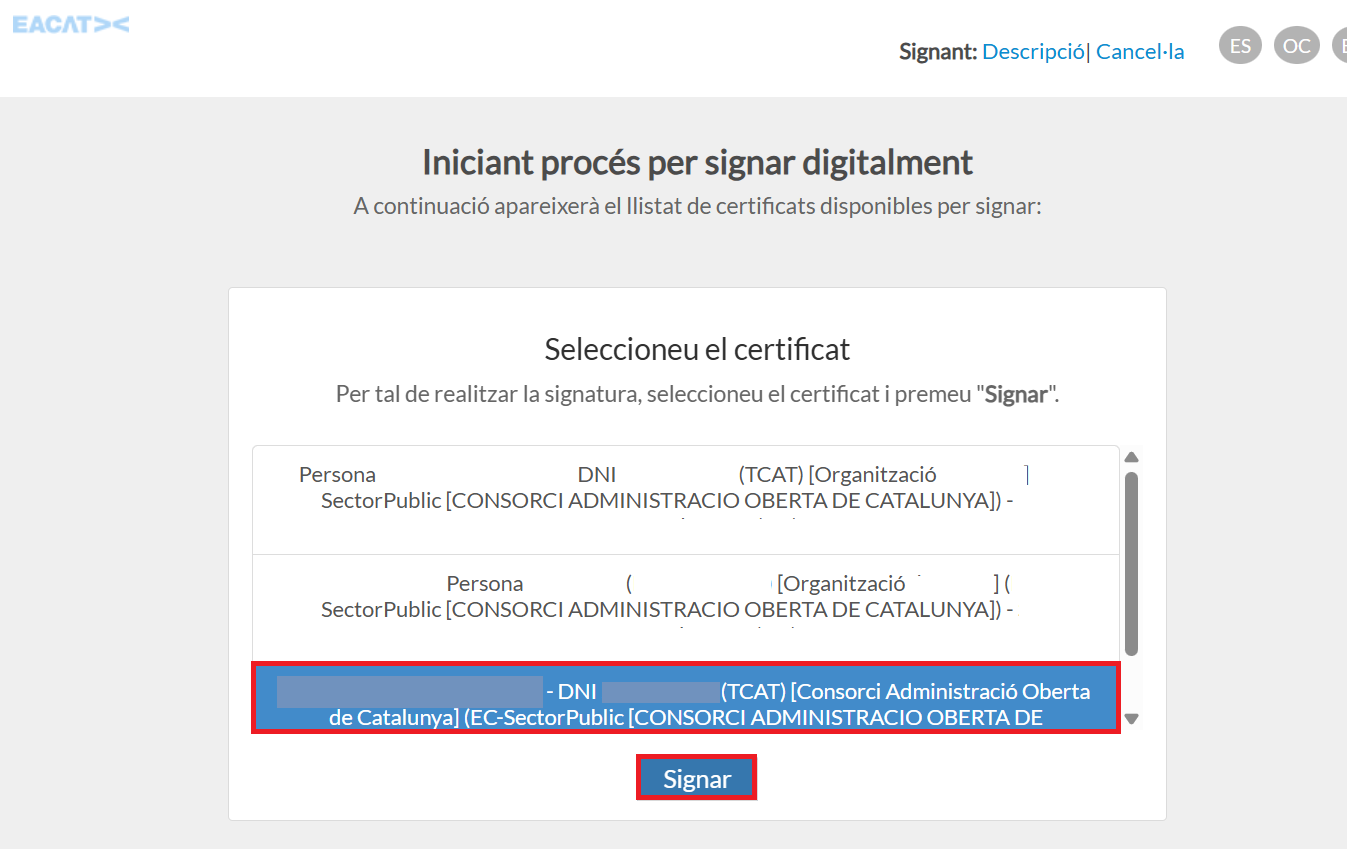
- The different signatures available to the user appear and you will have to select the correct one.
- The procedure is signed, but the documentation from the procedure to the procedure will still take a few minutes to consolidate with the procedure. The same will happen with the procedure receipt, as it is one of the files that are automatically generated at the end of the procedure.
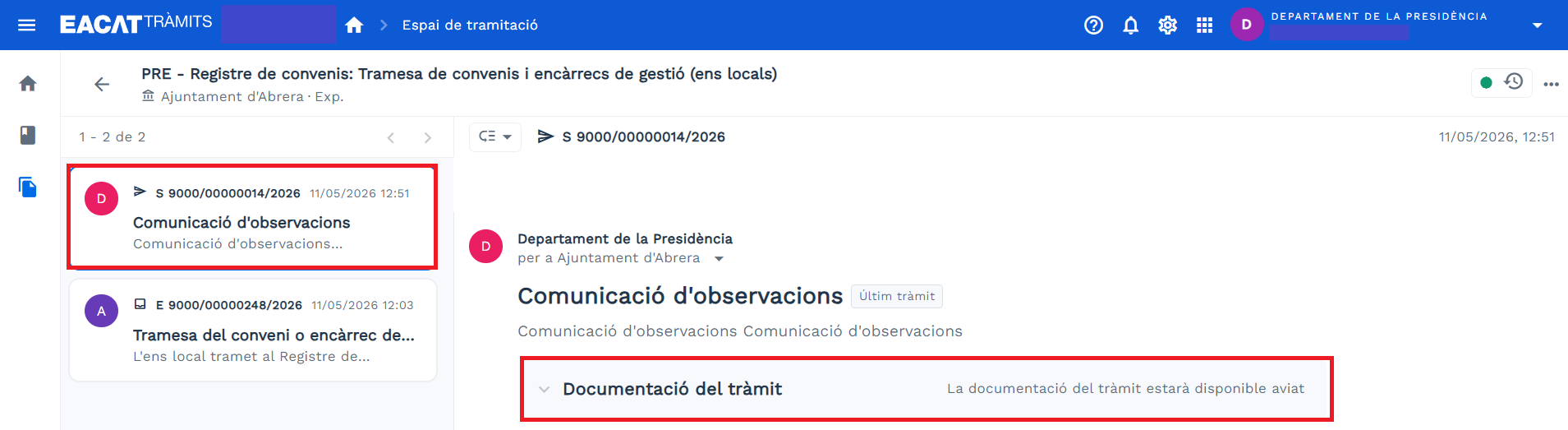
- You can find the procedure in the Sent tray of the Processing Space.
Remember that if you can't complete the form, you can retrieve it and edit it later in the Drafts tray. And if you just need to sign it, you'll find it in the To Sign tray, from where you can sign it, if you have signing permission, or send it for signature so that the preferred signatory can sign it, if applicable.
5. Respond to a procedure with a new web form -TMAS-
Currently, there is only one procedure that is a new web form of the new AOC Consortium, that is, done directly from the new EACAT, without changing platforms. We are referring to the Mass Submission. It is a little different because it is a generic service that is not accessed from the Catalog of services and procedures but from the left side menu.
This procedure, however, does not yet have a response procedure, although it will very soon.