



 Copy link
1. When should you use it?
You should use the Generic Submission (TGEN) only when there is no specific procedure or service in the Catalog of services and procedures of the new EACAT to send the documentation or information that you want to send to an entity. You can start it from Generic Services in the Catalog.
It is very important that you keep in mind that if you submit a generic submission to the Administration of the Generalitat de Catalunya when a specific electronic service of EACAT already exists, this submission will be considered not submitted, in accordance with articles 66.6 and 16.8 of Law 39/2015.
To avoid unnecessary use of the Generic Transmission, the new EACAT incorporates a specific service recommender before initiating it.
Currently, the generic submission is done with a PDF form. A new version with a web form from the AOC Consortium will be rolled out later.
2. Where can you find it?
You will find the Generic Submission in the Generic Services section of the Services and Procedures Catalog book .
3. Who can initiate it?
Any user who has been assigned the basic permission of EACAT Procedures. It is not necessary to have access to the Generic Submission service.
4. Who can view generic submissions sent and received?
Users can always see the generic submissions they have initiated .
Users who, in addition to having basic permission, have access to the service can also see the sent and received submissions .
Users with a shared generic submission can also view it, even if they are not in the corresponding mailbox (in entities organized according to the mailbox system).
To view generic submissions sent and received, in addition to the basic permission of EACAT Procedures, the user must be inside the mailbox where the generic submission is located, provided that the entity operates with the mailbox system. If the entity does not operate with the mailbox system, as everyone sees everything, only the basic permission of EACAT Procedures will be required.
5. How can you share a generic submission with a user?
When a user does not have access to a specific generic submission and should have it, the generic submission can be shared so that they can view it.
Any user who has access to a generic submission can share it with another user in the following way:
Processing area > Select the generic submission > Click the ... icon > More information > File details > Select Share > Enter the user's name in the search engine > Accept
6. What does the service recommender do?
The recommender suggests specific services that could replace generic shipping, based on:
the recipient entity
the subject of the submission
7. How does the recommender work?
Access the Catalog of services and procedures and select Generic submission (Generic services).
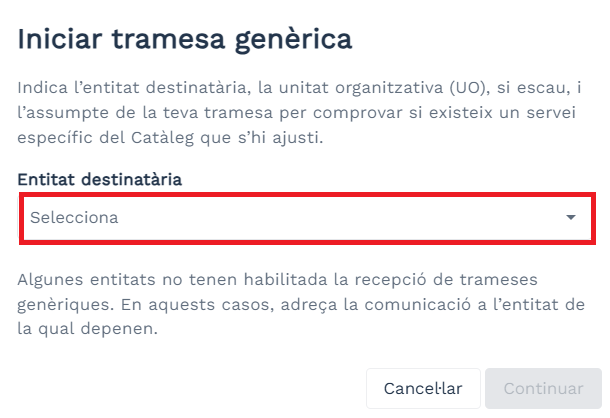
On the Start Generic Remittance screen, indicate the recipient entity.
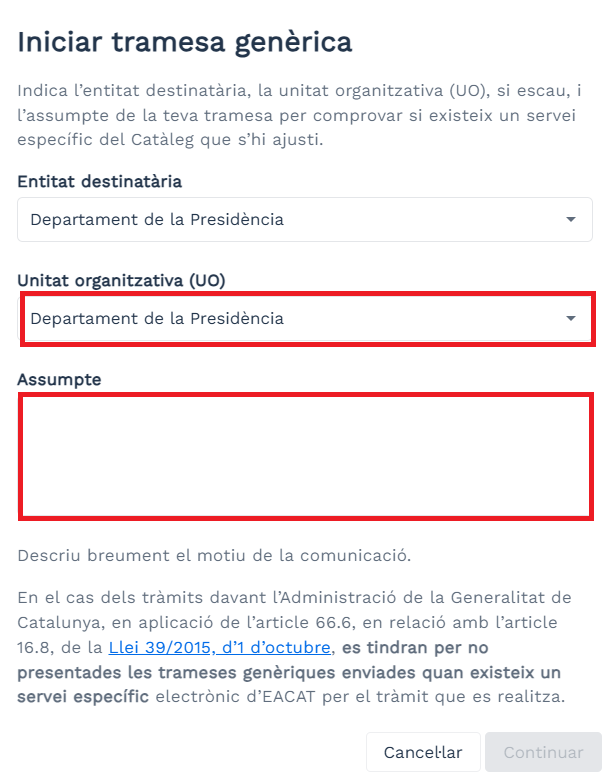
Select the subject and, if applicable, the organizational unit.
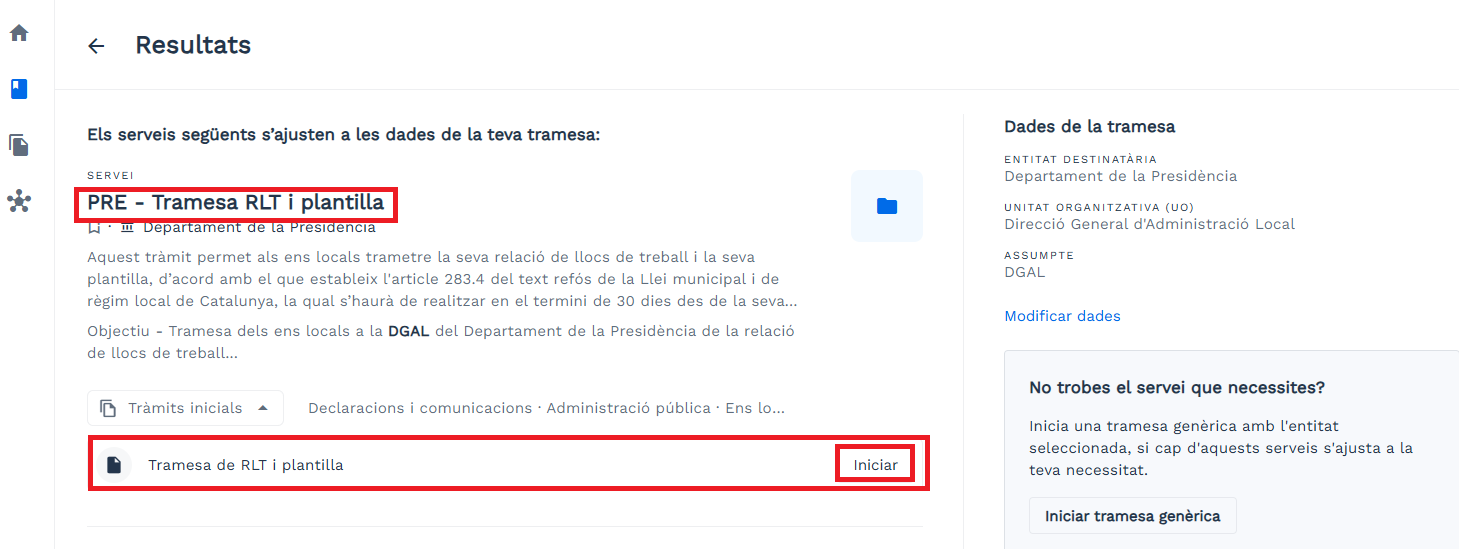
If there are matches, the system will show you recommendations for specific services:
a. You can select one and directly start the corresponding procedure.
If the recommendations are not appropriate, you can:
a. Modify data (change the subject and search again).
b. Start the generic submission and download the PDF form.

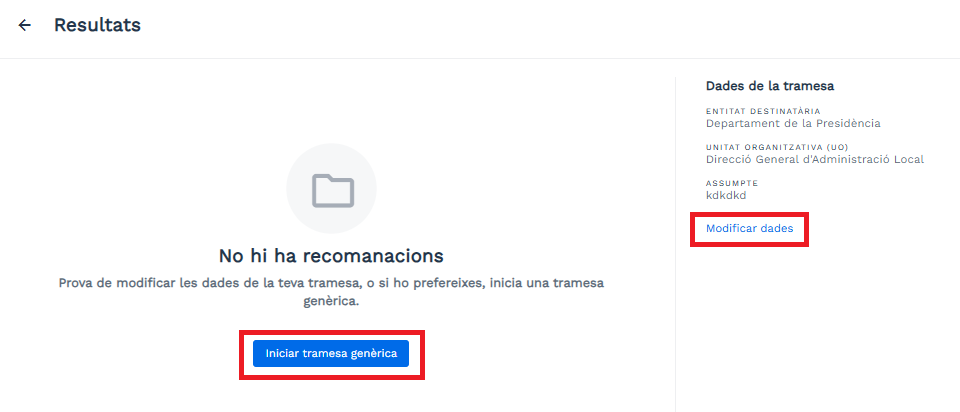
If there are no results, the system still allows you to:
a. Modify the data, or
b. Initiate generic submission directly.
Remember that in the case of the Generalitat de Catalunya, TGENs sent when a specific service exists are not considered submitted .
8. What can you do?
If you find the right specific service:
Start the process, fill out the form, sign it and send it.If no specific service exists:
Start the generic submission, download the PDF, fill it out, validate it, sign it and send it.
Find information related to